백업/Veeam
[Veeam / VSA VIA v13] ssh 접속 및 root shell 접근 방법
PeamS
2026. 4. 2. 08:53
INTRO
- veeamadmin 과 veeamso 계정을 이용하여 Veeam Software Appliance 와 Veeam Infrastructure Appliance 를 원격으로 ssh 접속 및 root shell 접근 방법입니다.
[VSA] Veeam Software Appliance root shell 접근 및 ssh 접속 방법
1. Root access 와 SSH Server enable 요청하기 (veeamadmin 로그인 / https://서버IP:443)
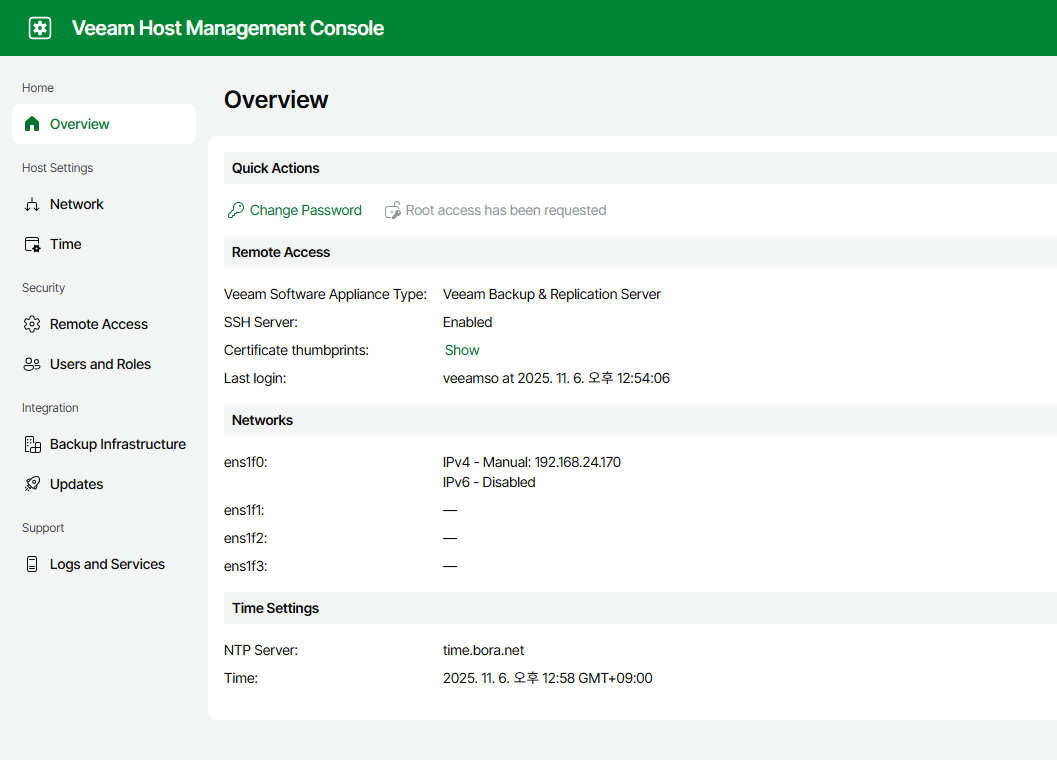
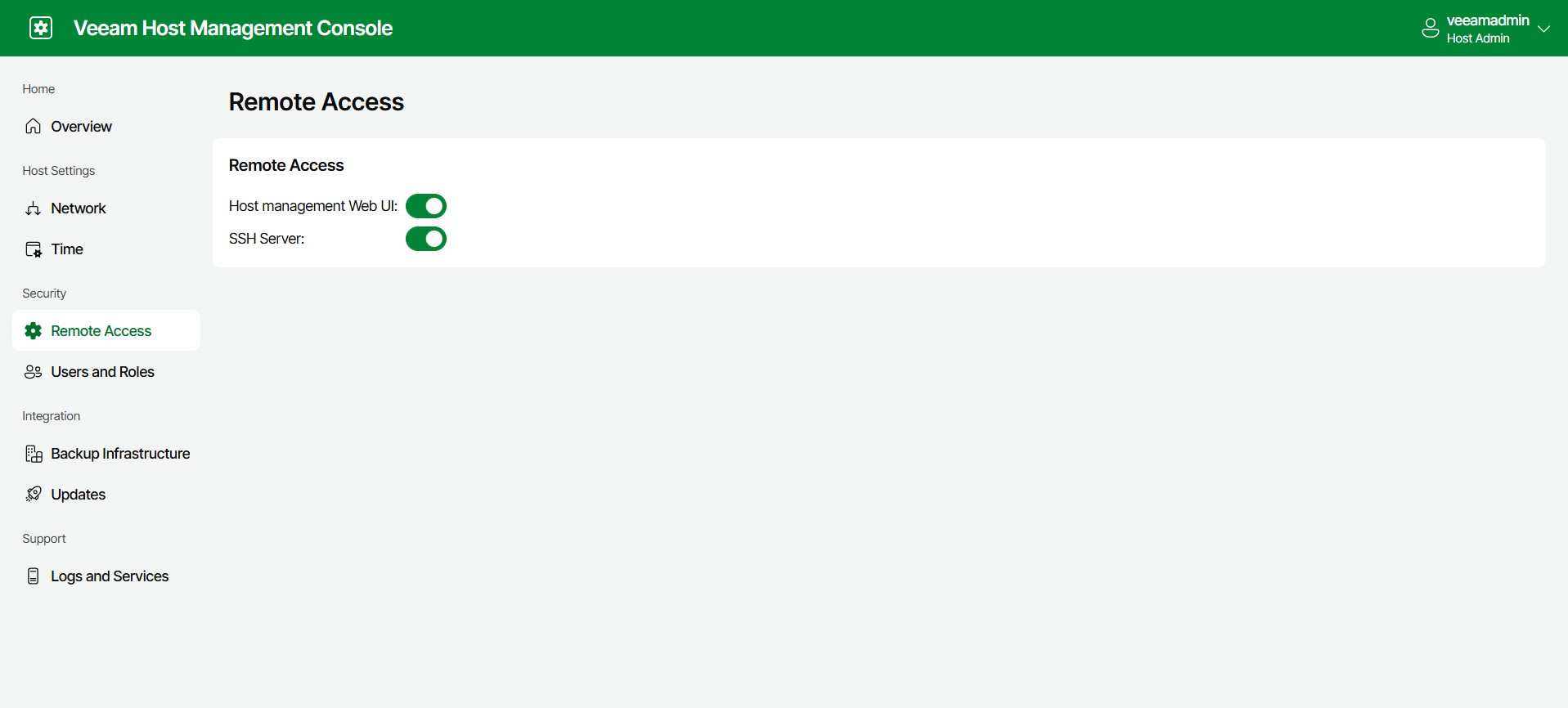
2. root access 요청 승인하기 (veeamso 로그인 / https://서버IP:10443)
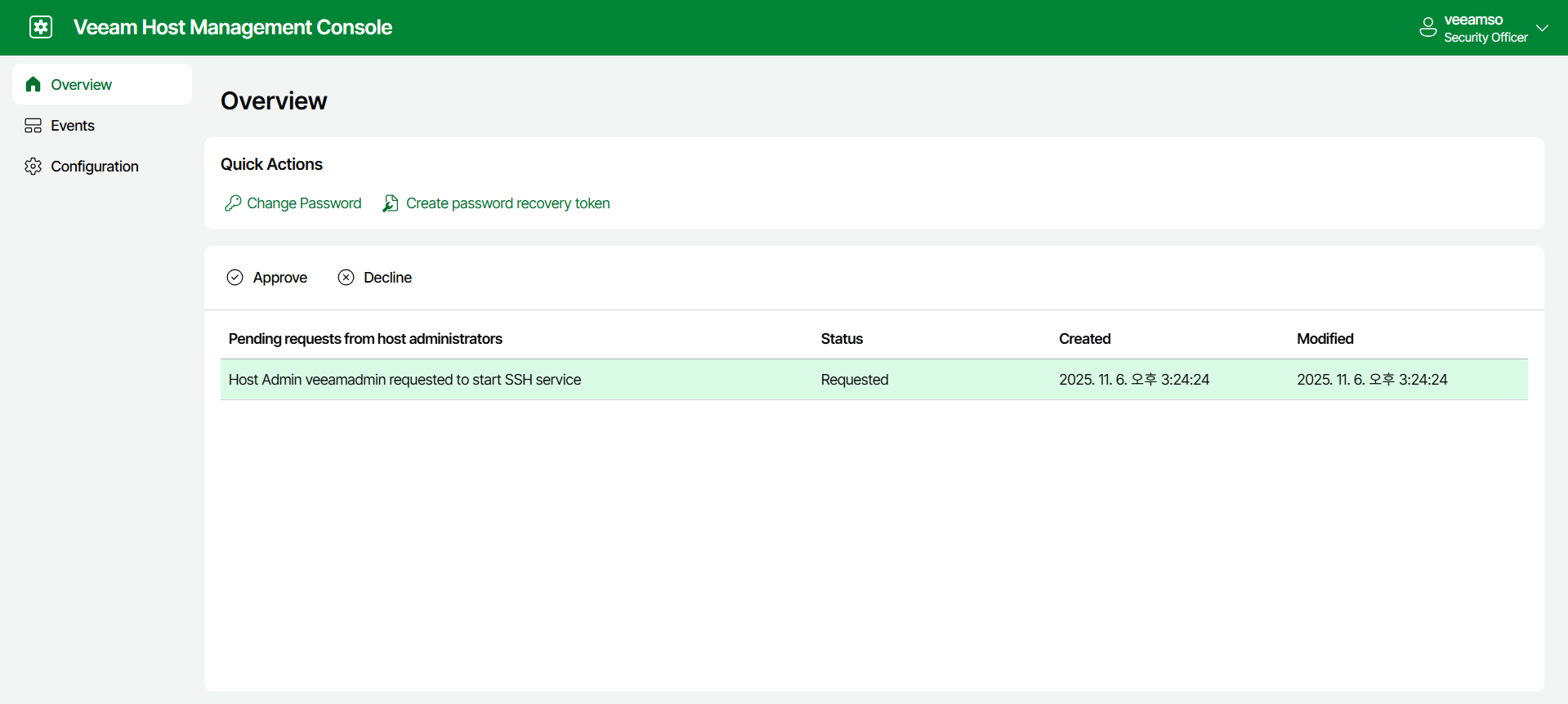
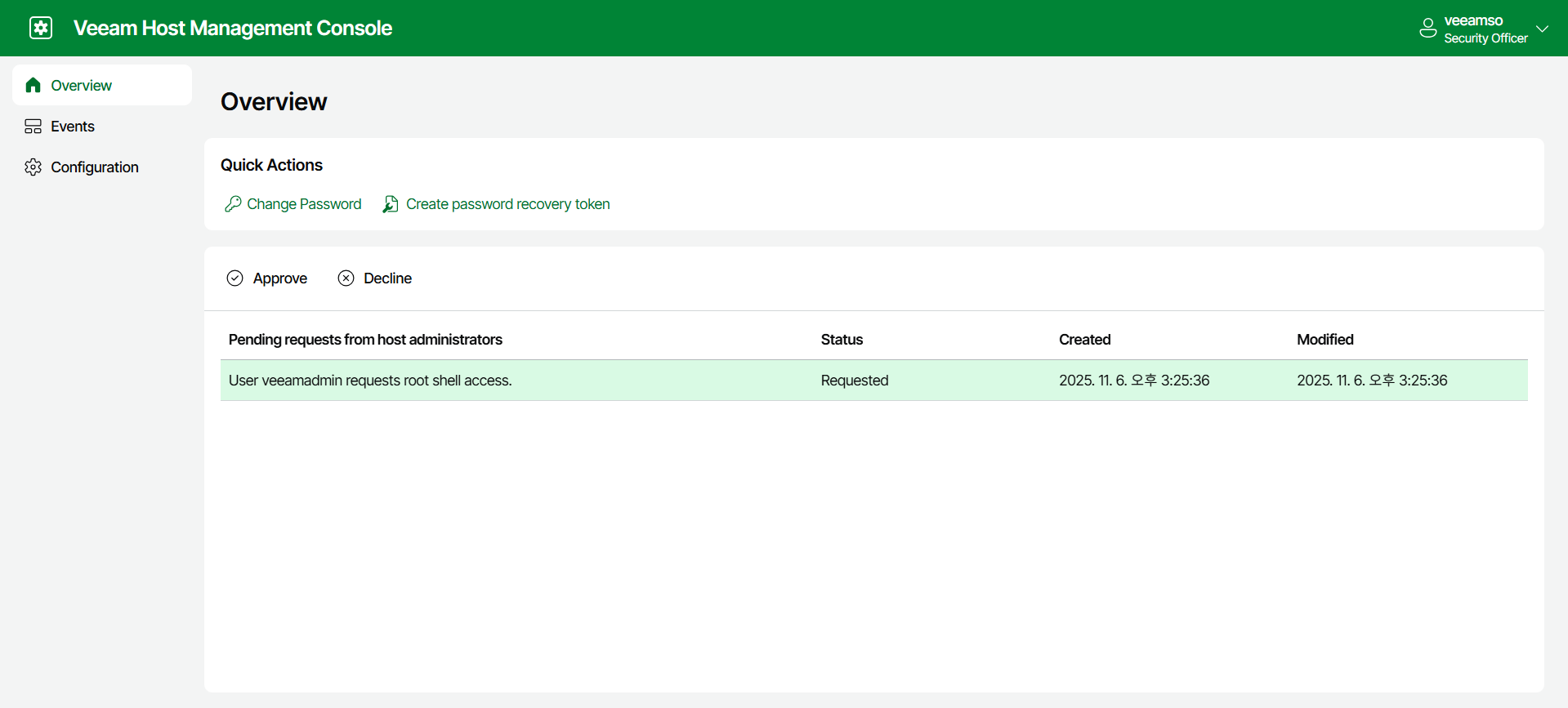
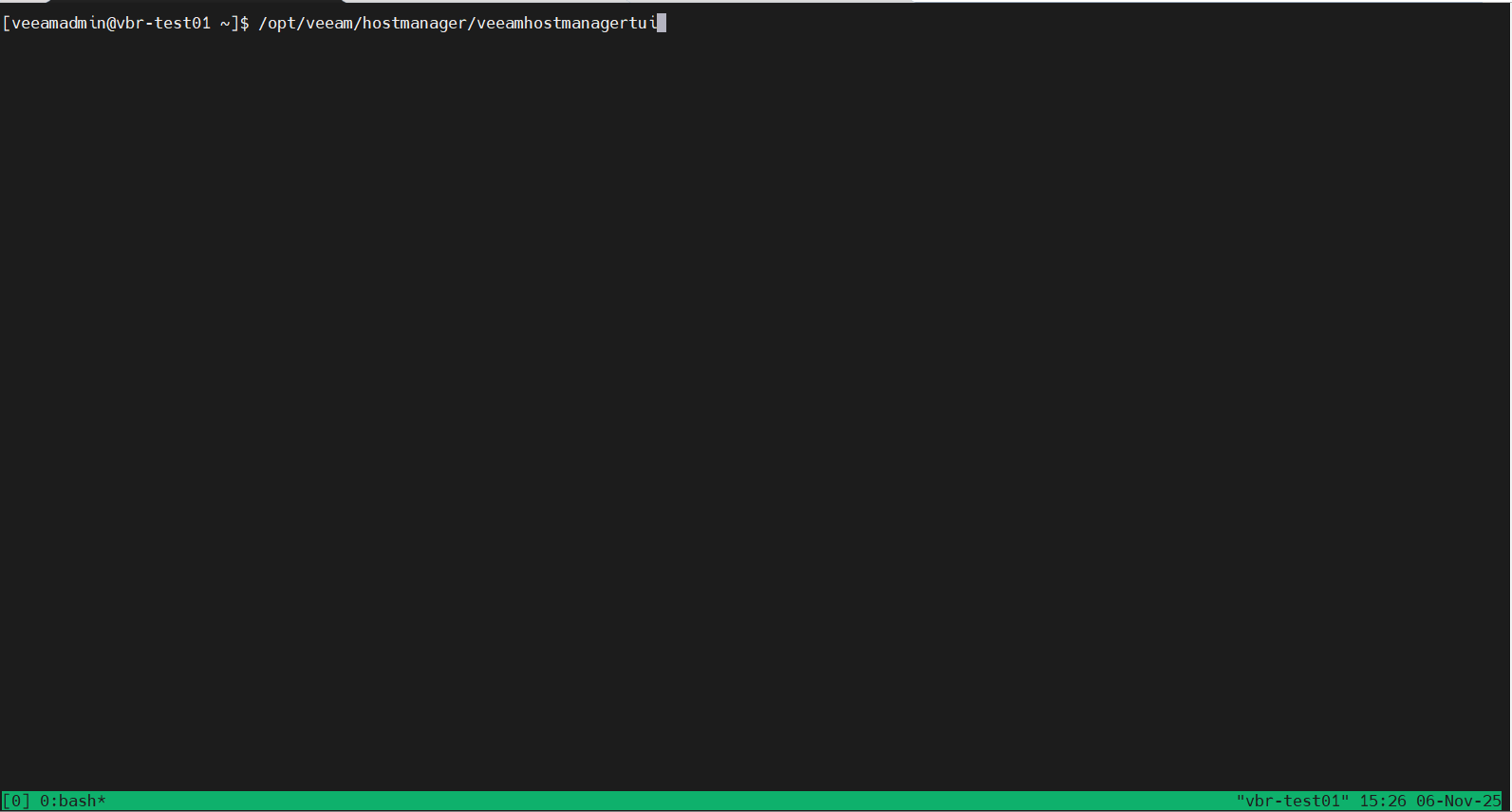
3. ssh 접근 및 shell ui 실행 (veeamadmin 로그인 / ssh:22)
- /opt/veeam/hostmanager/veeamhostmanagertui
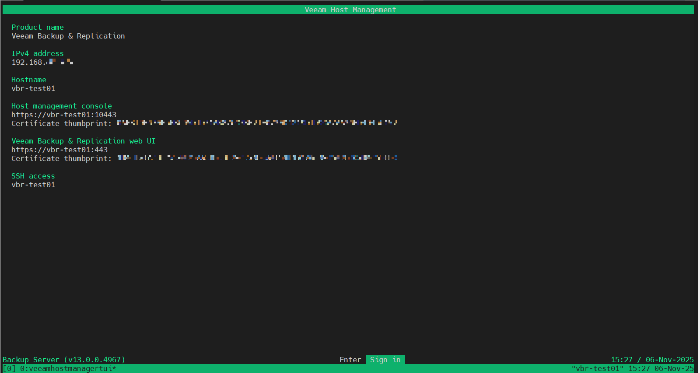
4. veeamadmin 로그인하기

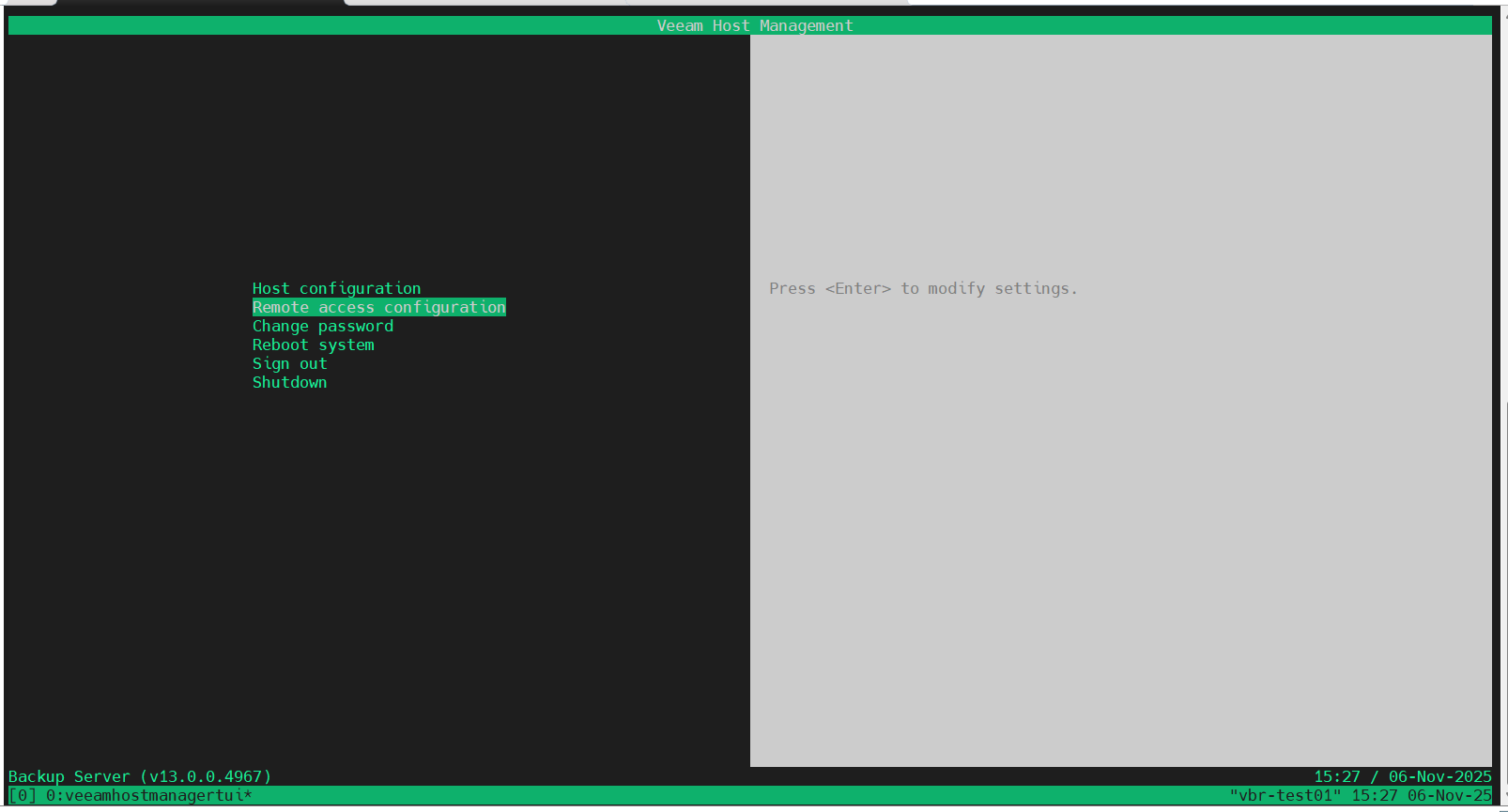
5. Remote access configuration 접근 및 Enter shell 하기
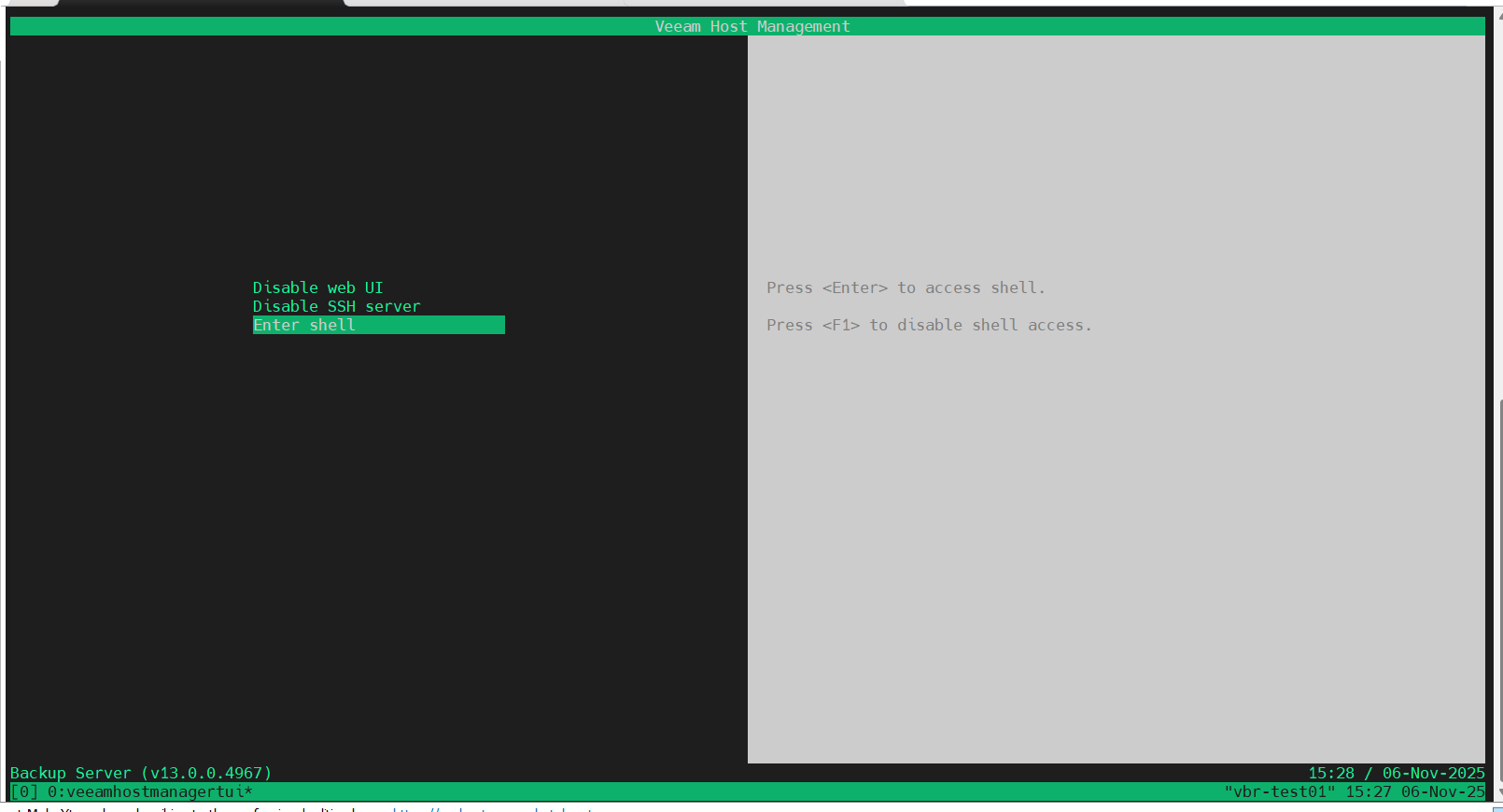
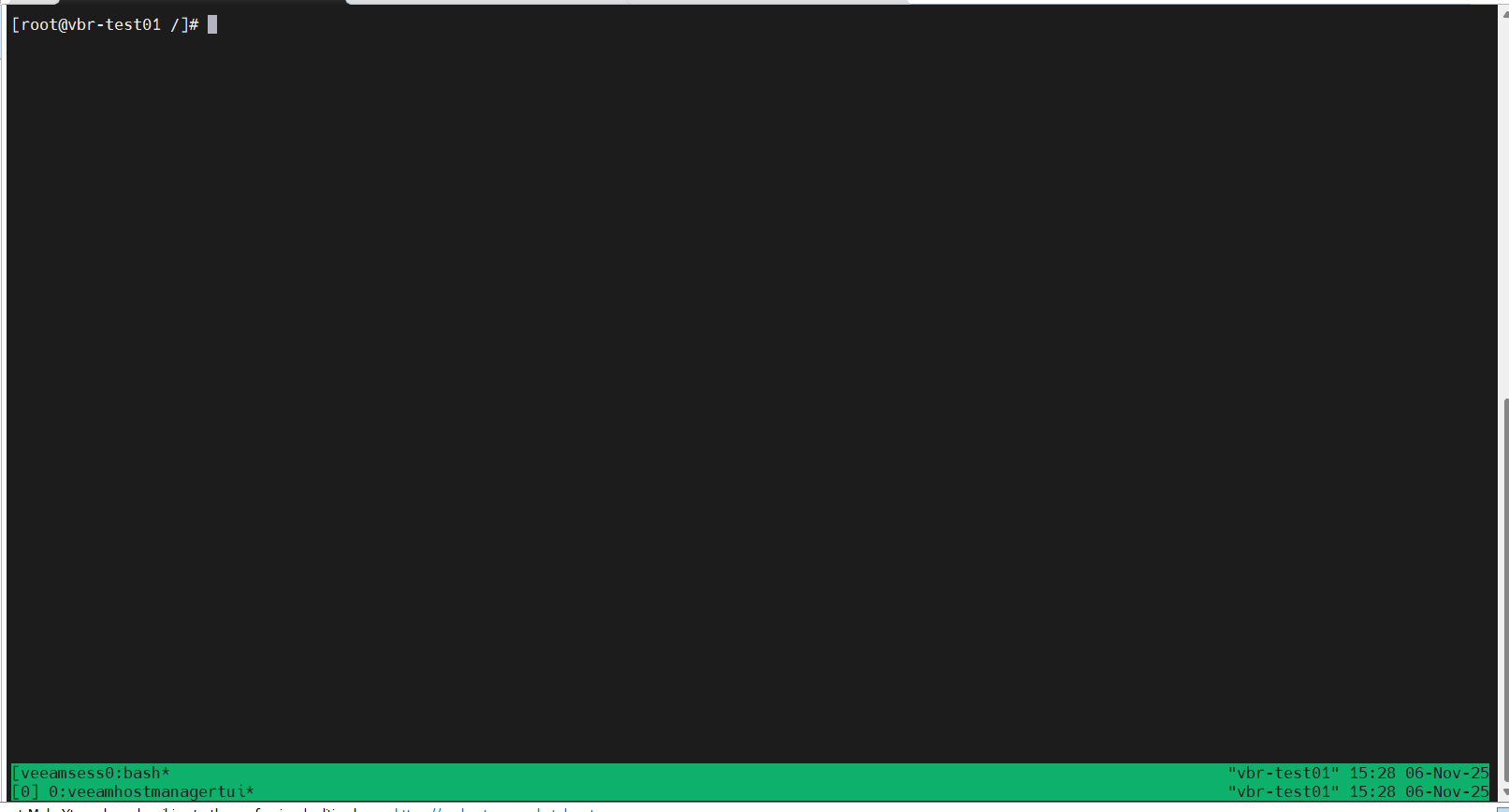
6. root shell 접근 완료
[VIA] Veeam Hardened Repository root shell 접근 및 ssh 접속 방법
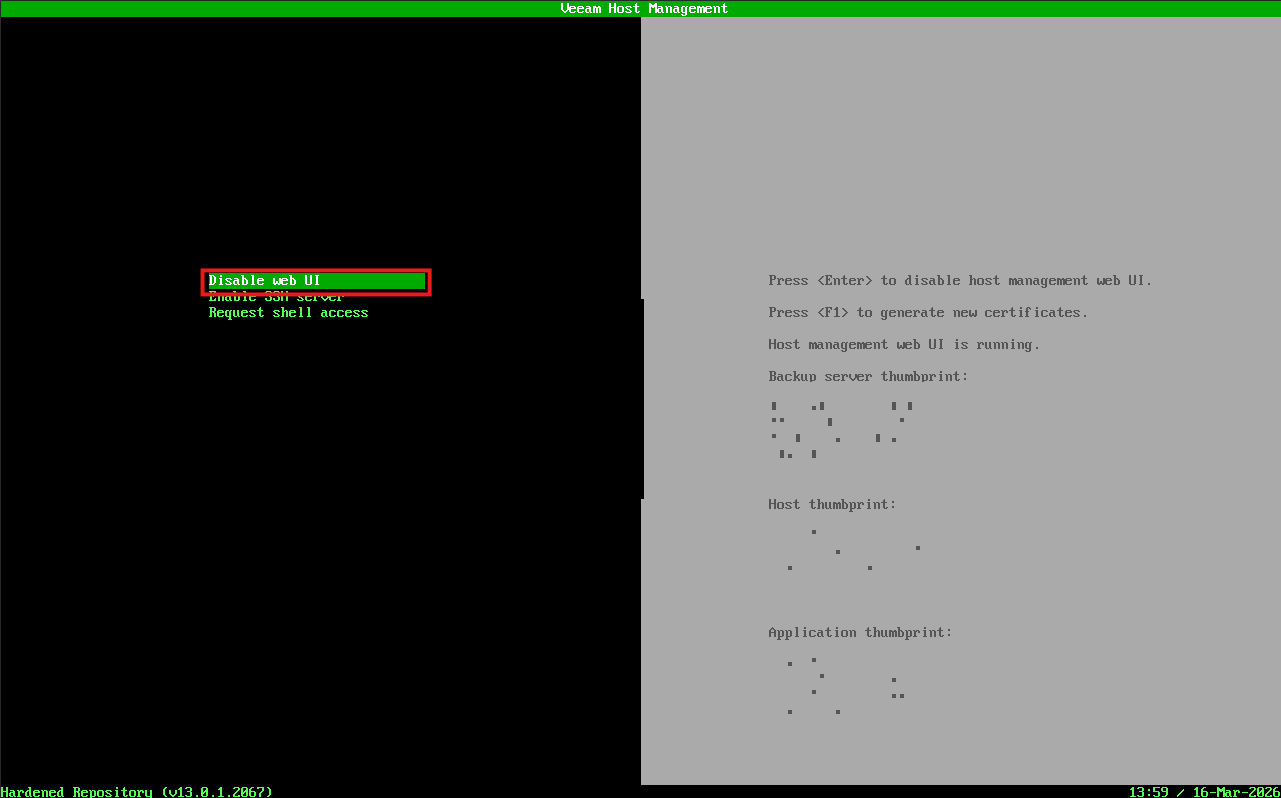
1. web UI 활성화
Console 로그인 후 [Remote access configuration] - [Enable web UI] 로 web UI 활성화
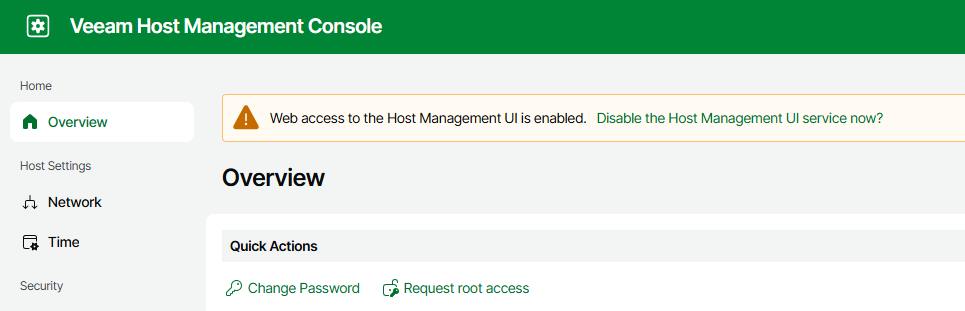
2. (veeamadmin) Request root access 및 SSH Server 활성화 요청
https://<IP 주소>:10443 접속 및 veeamadmin 으로 로그인
[Home] - [Overview] - [Quick Actions] 에서 Request root access 요청
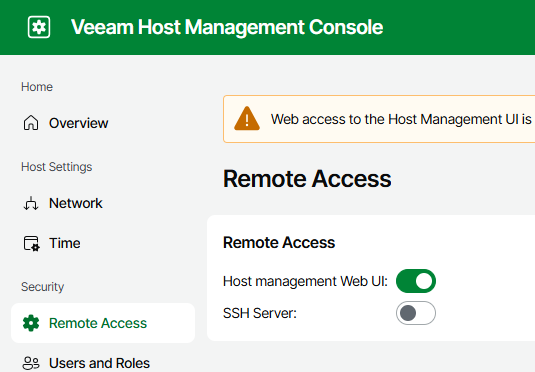
[Security] - [Remote Access] 에서 SSH Server: 활성화 요청
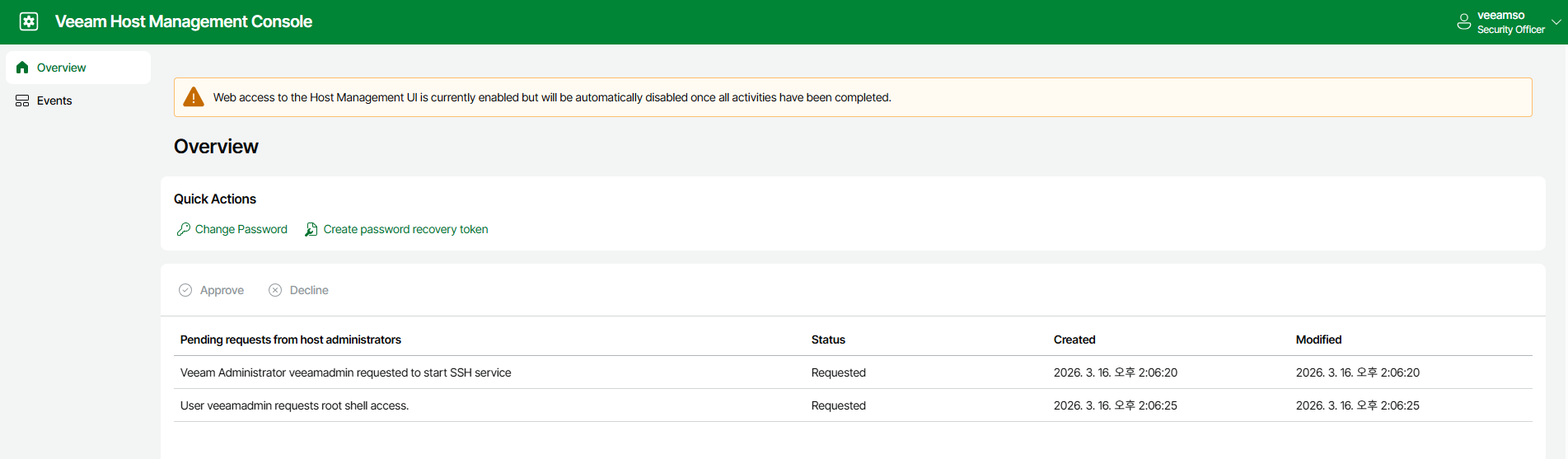
3. (veeamso) 결재 승인
https://:10443 접속 및 veeamso 로 로그인
두 요청에 대해 Approve 진행
root shell 결재만 해도 Console 을 통해 root shell 접근이 가능합니다.
4. (veeamadmin) ssh 접속 및 UI 접근
ssh 접속 및 아래의 명령어로 UI 접근할 수 있다.
/opt/veeam/hostmanager/veeamhostmanagertui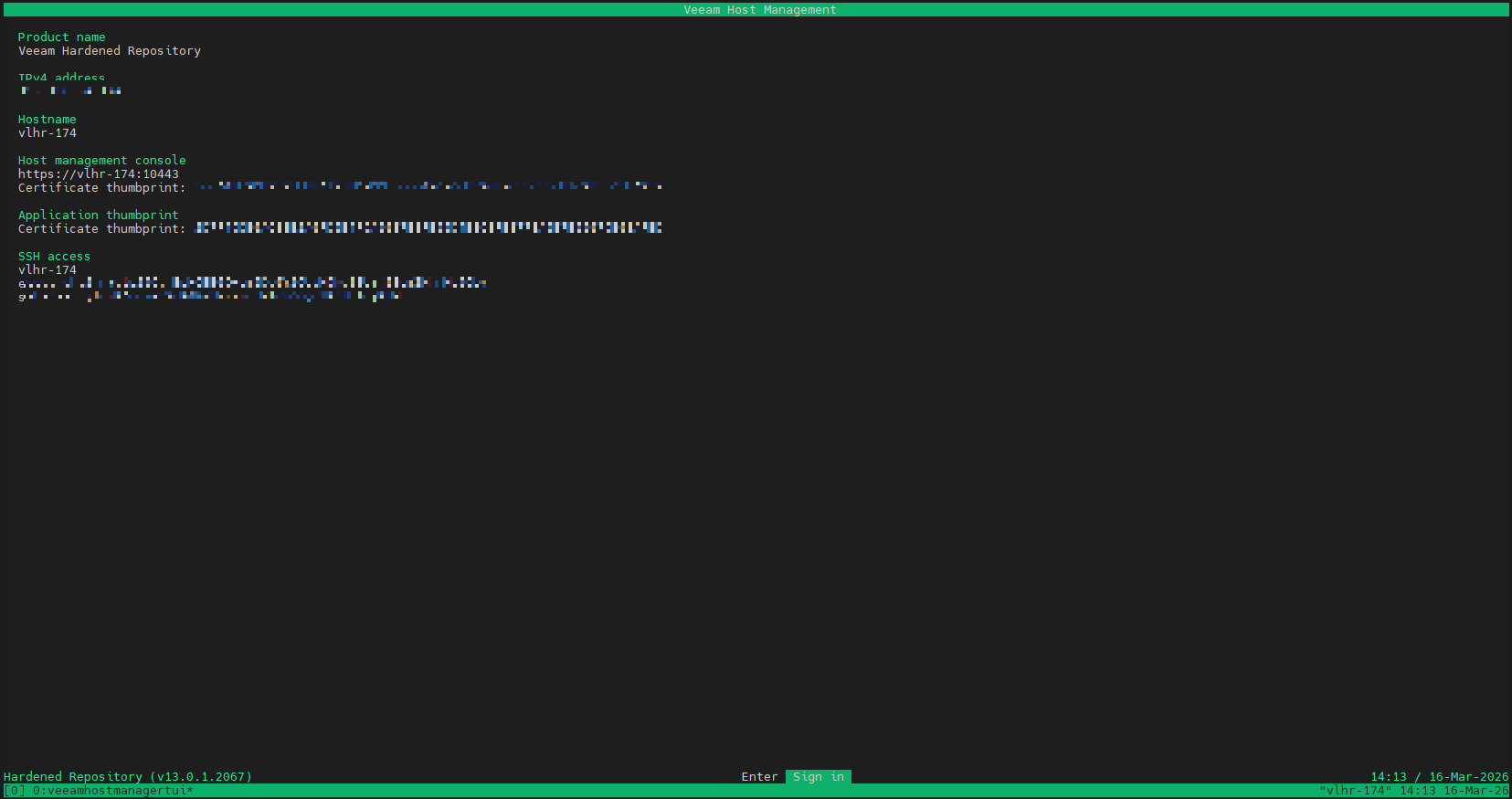
5. root shell 접근
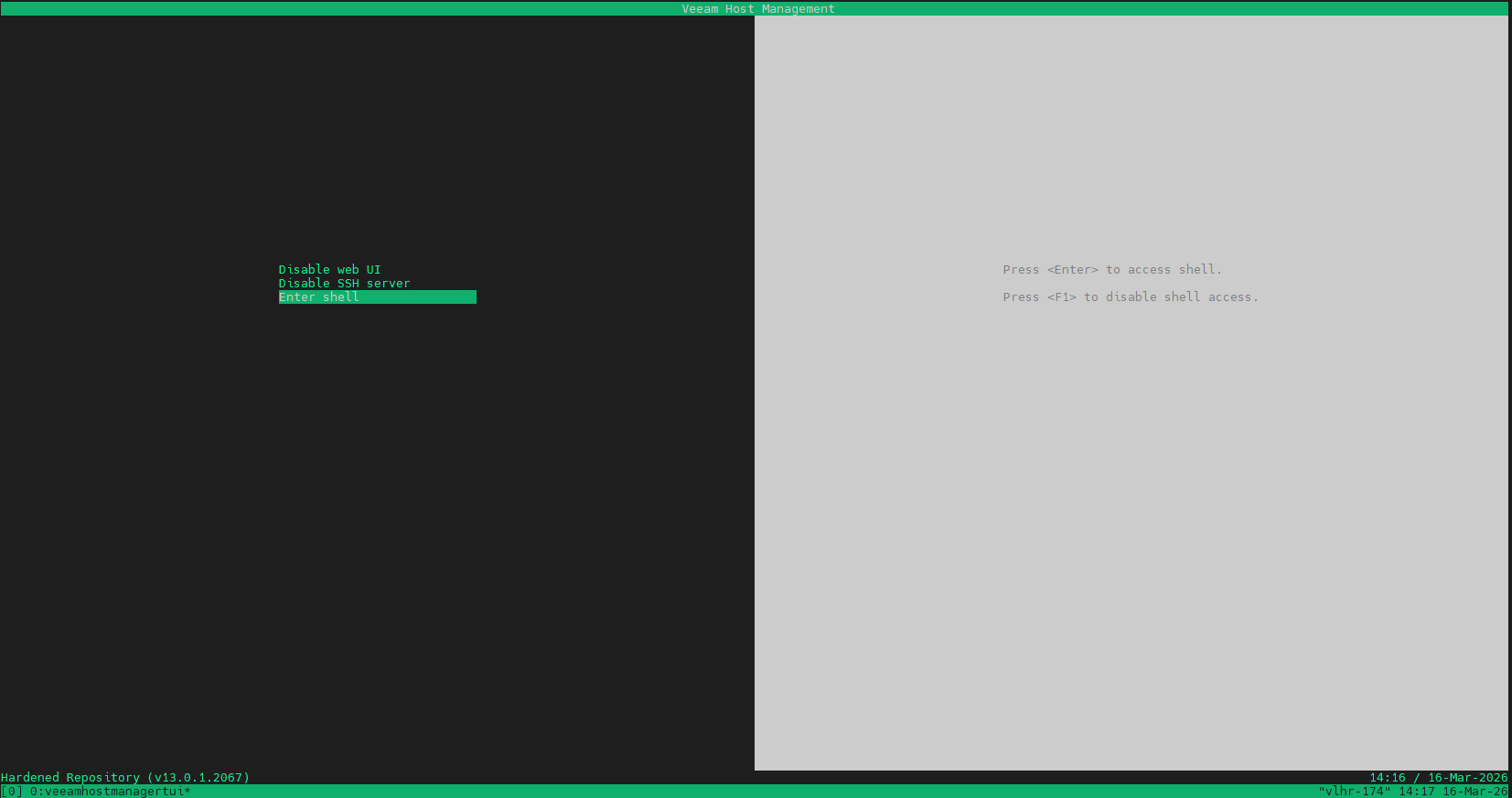
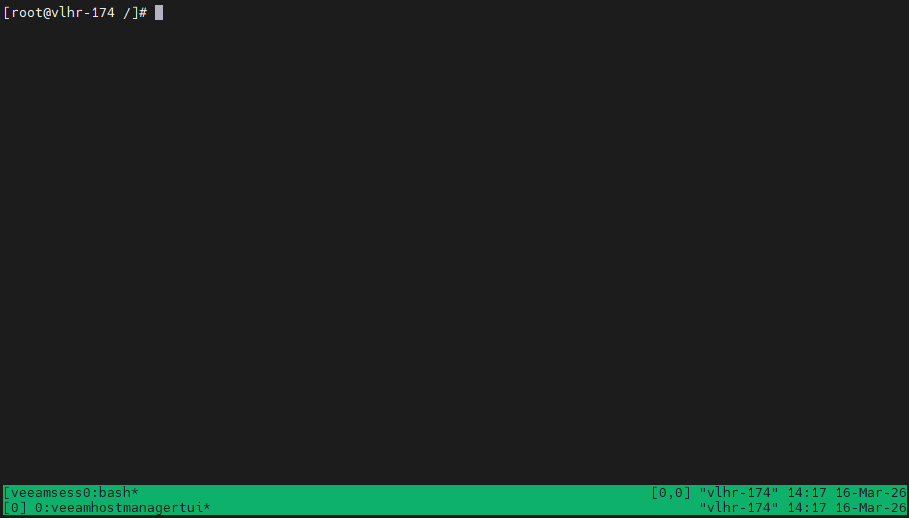
[Remote access configuration] - [Enter shell] 로 root 접근 완료
이상입니다.