Intro
설치하기
1. 관리서버 구축
DNS 설정
정방향/역방향 A레코드 생성
nslookup 테스트를 하려면 네임서버 1번을 루프백IP로 지정
Arbiter 설치
쉬움
simplivity-deployment-manager
쉬움
배포 매니저에서 읽어 들이는 경로는 C:\Users\Administrator\Downloads 이니 각종 파일들을 해당 경로로 업로드나 이동
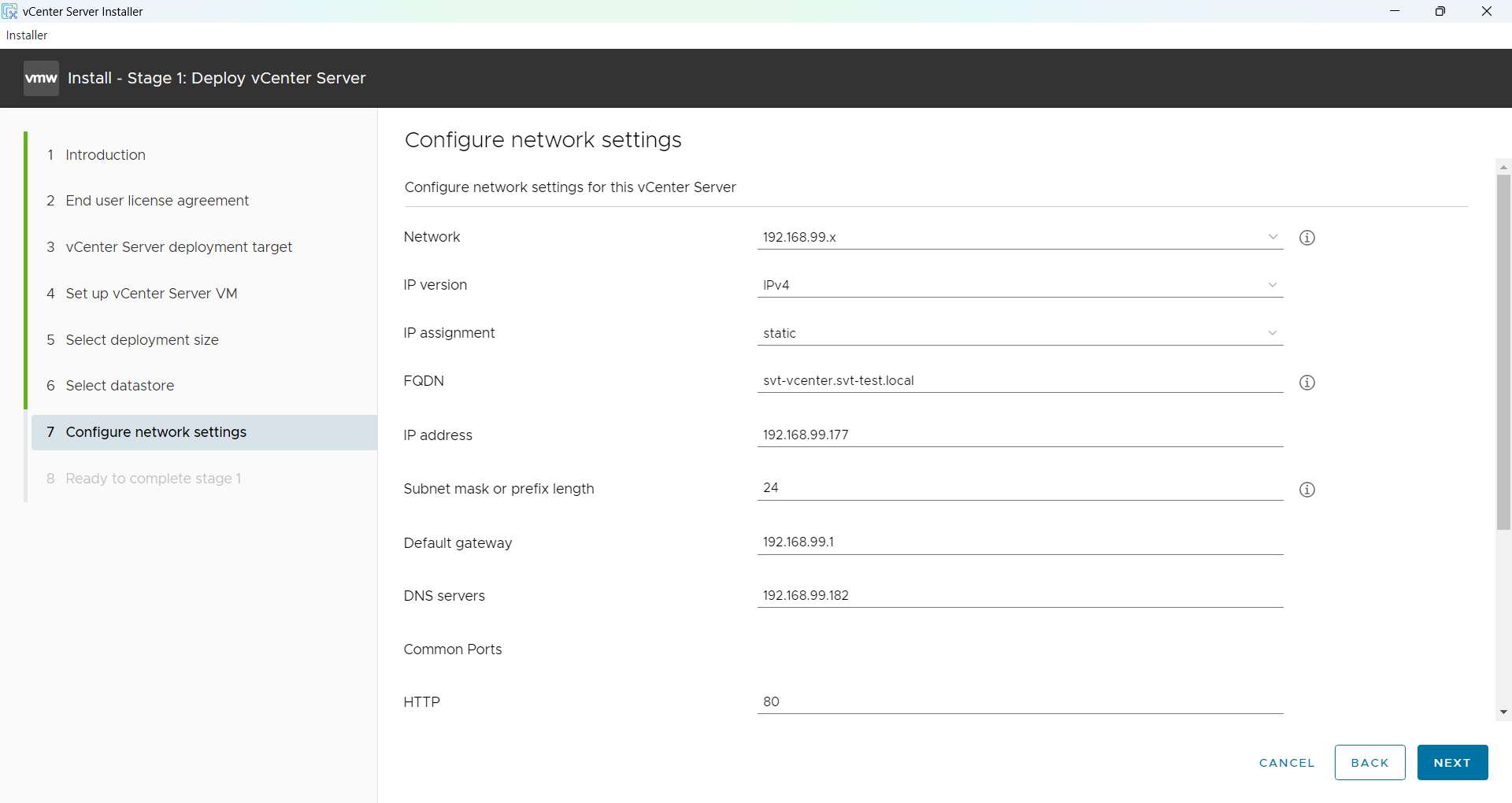
2. vCenter 설치
FQDN 꼭 지정해서 설치
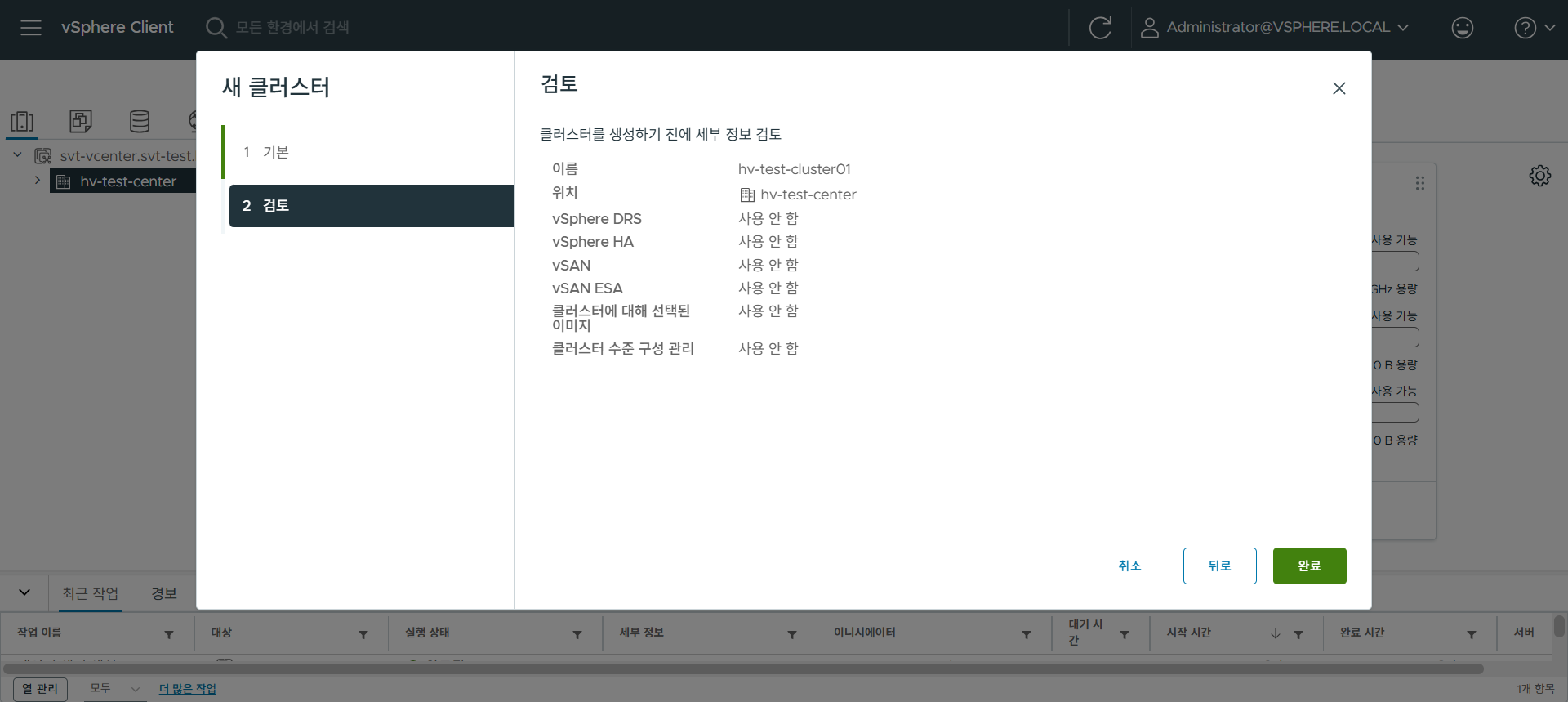
데이터 센터와 클러스터 생성
3. vCenter 플러그인 설치
ssh 접속 활성화 bash 쉘 활성화 필수
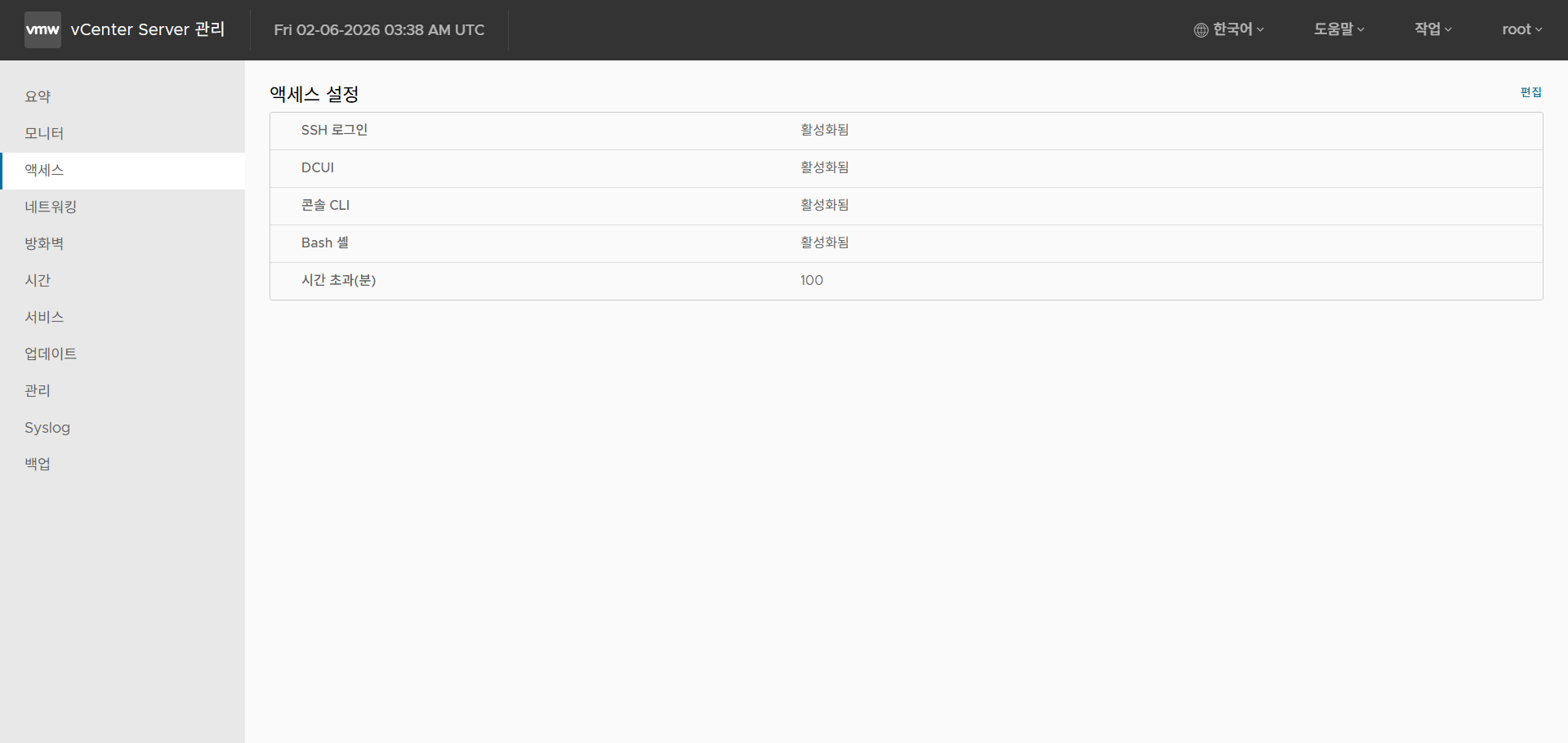
쉘 변경 명령어 및 플러그인 설치
chsh -s /bin/bash root
chmod u+x HPE-SimpliVity-Plug-in-for-vSphere-Client-linux-x64-XXX.run
./HPE-SimpliVity-Plug-in-for-vSphere-Client-linux-x64-XXX.run
4. HPE SimpliVity Installer 부팅
용량이 작아 iLO Virtual CD 로 마운트 해서 부팅할 수 있다.
필요 파일은 deploy-installer-xx.xx.x-psi41+sva-x.x.x.x-usb-tiny.img
<Ctrl>+<N> 으로 네트워크 설정 진입

IP 설정
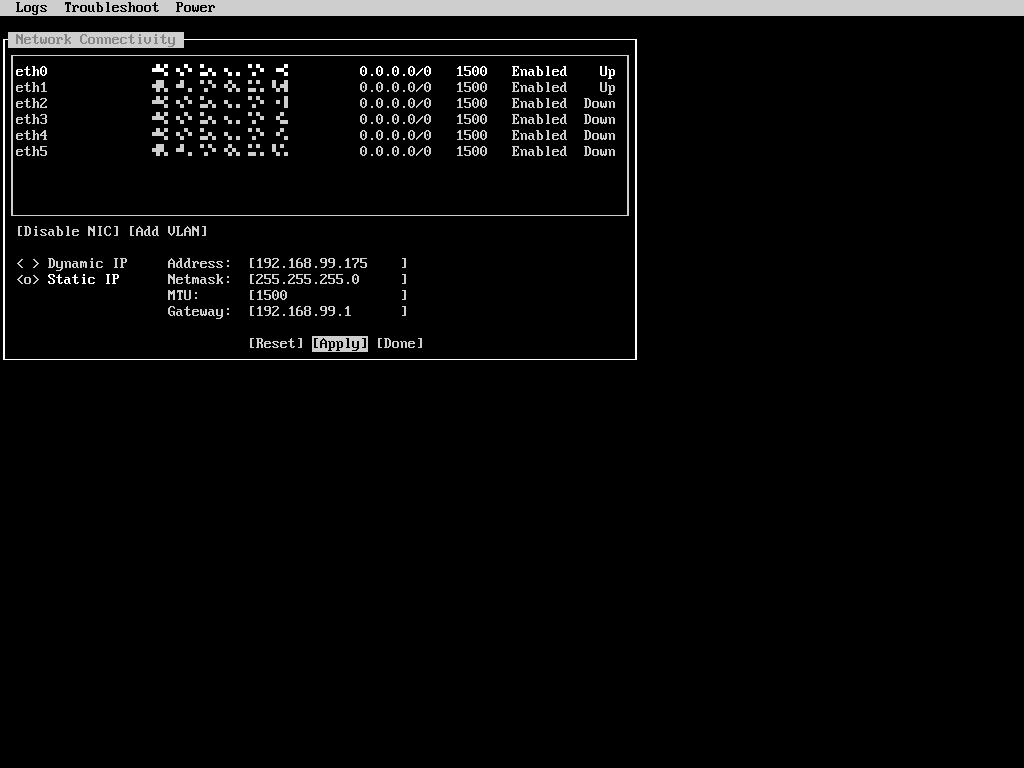
최종적으로 Status: 가 Waiting to be discovered 상태가 되어야 배포가 가능하다.
5. HPE SimpliVity 배포
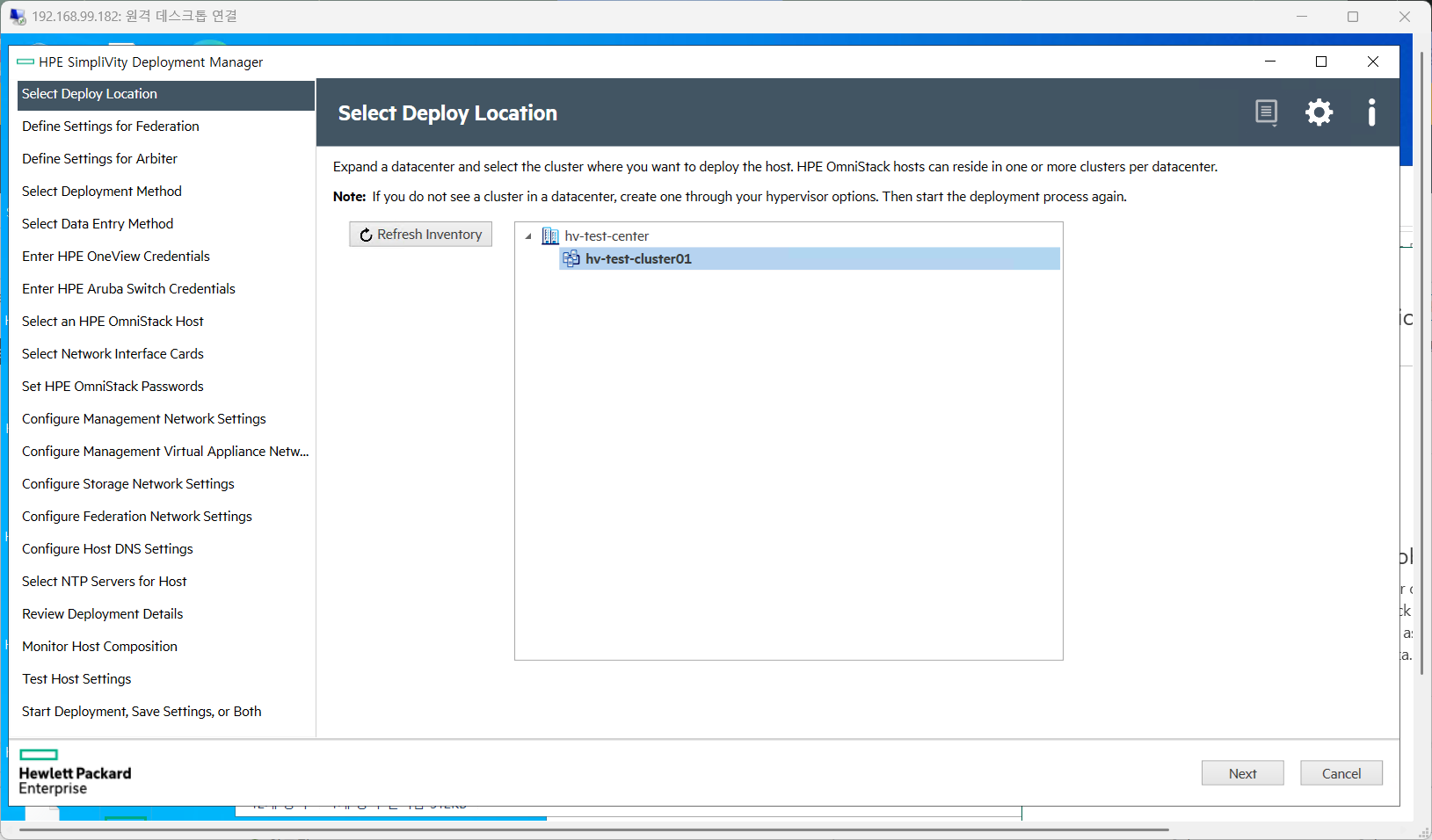
1. Deploy Location 지정
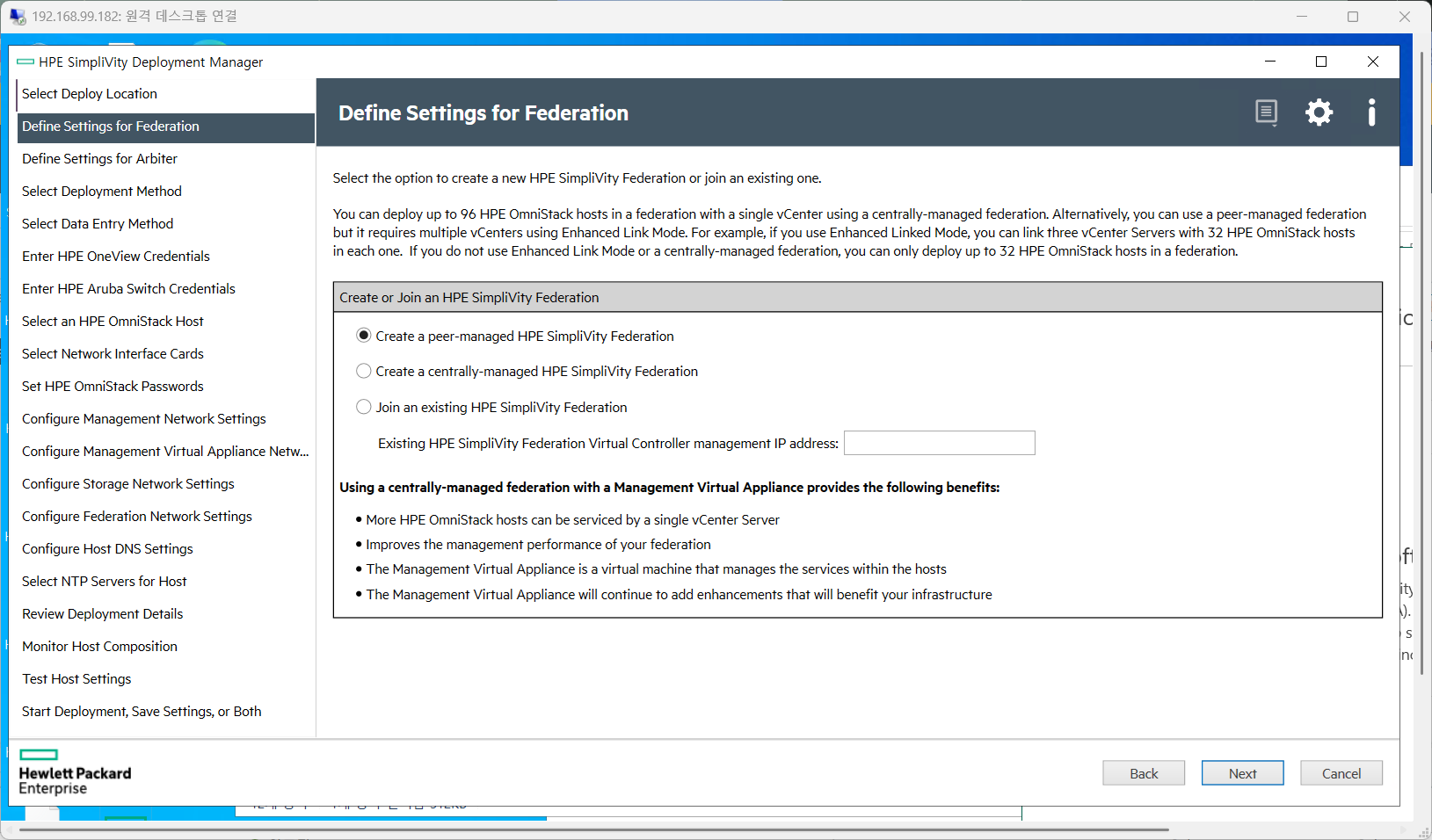
2. Define Settings for Federation
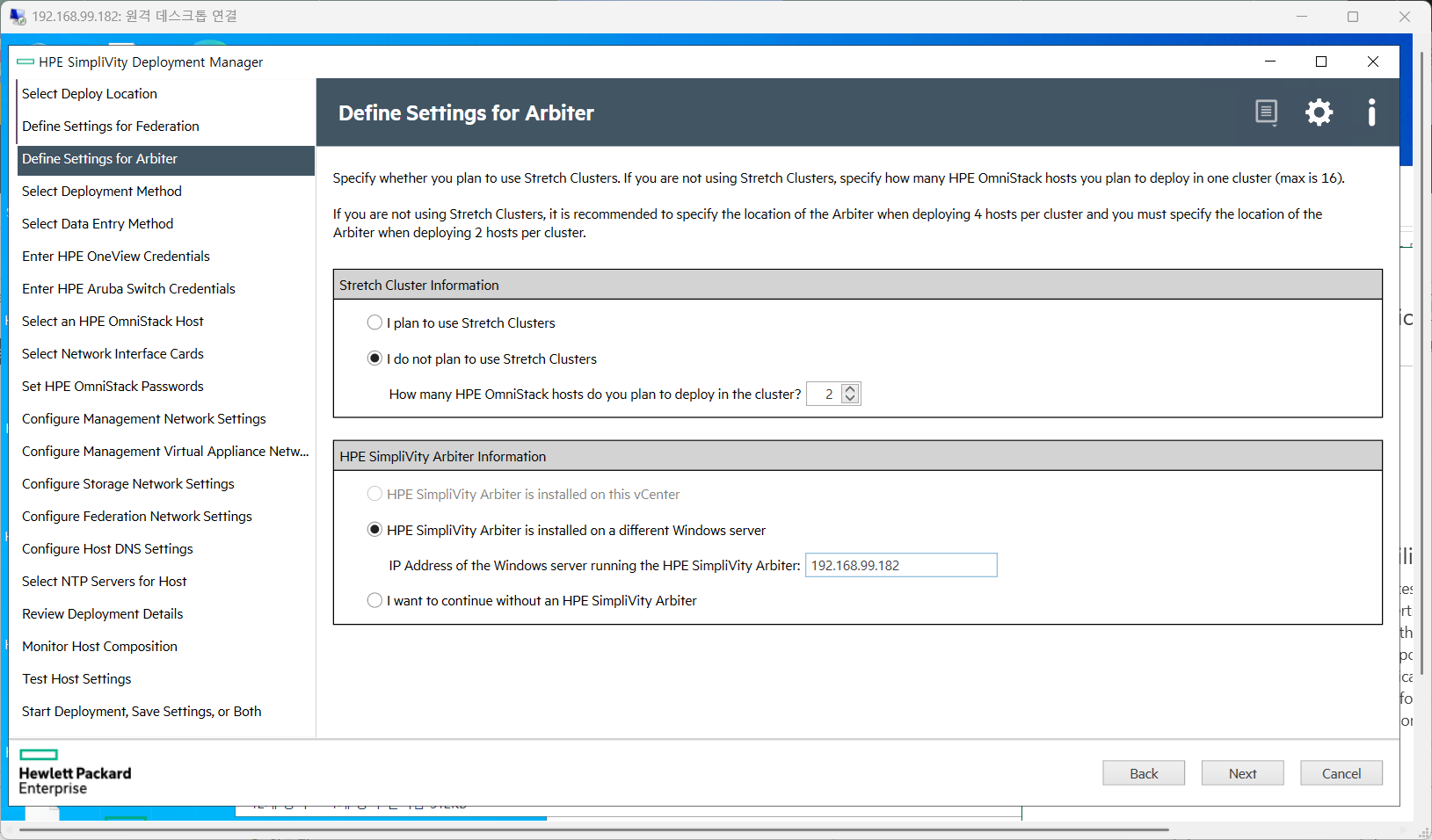
3. Define Settings for Arbiter
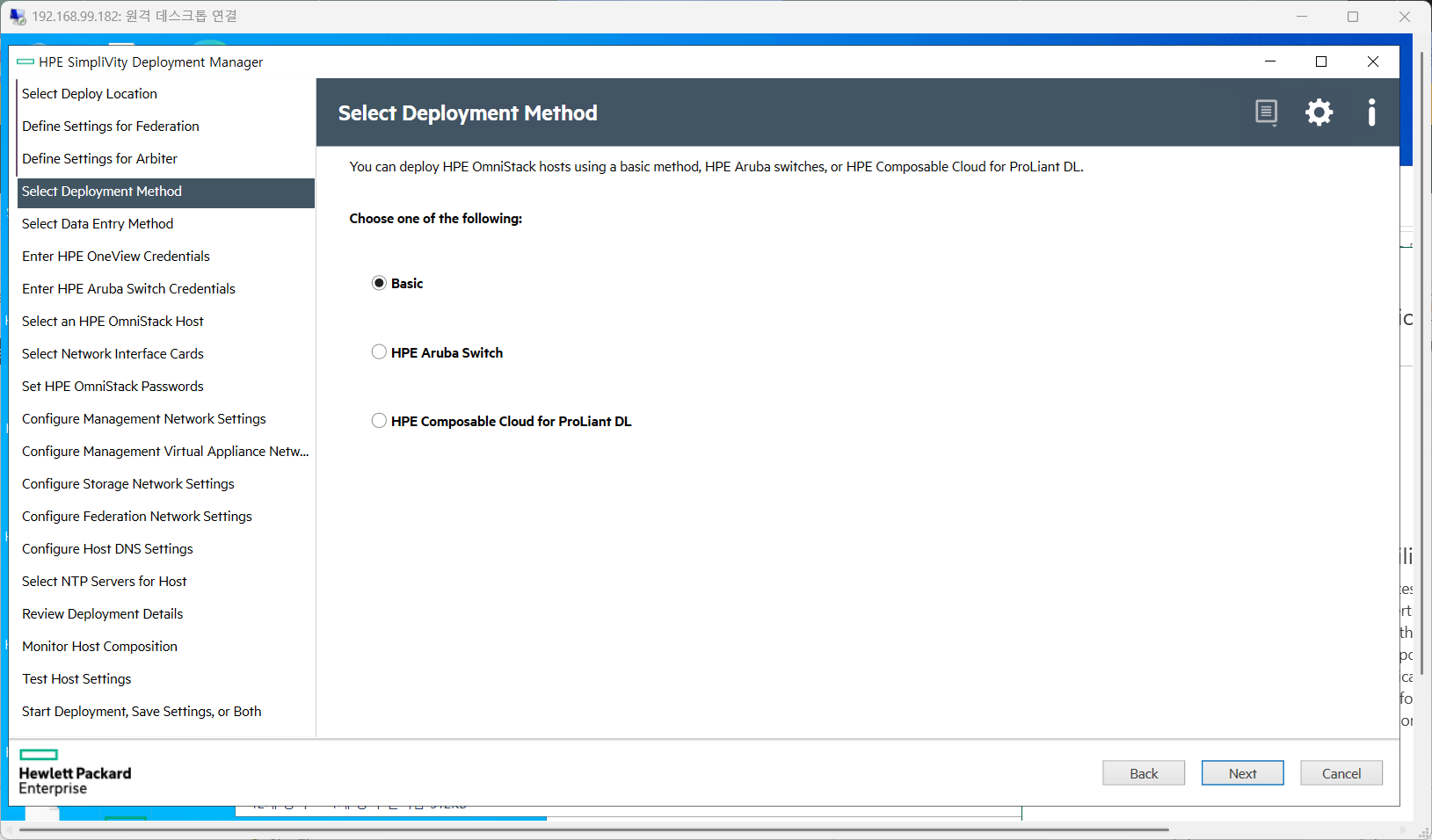
4. Select Deployment Method
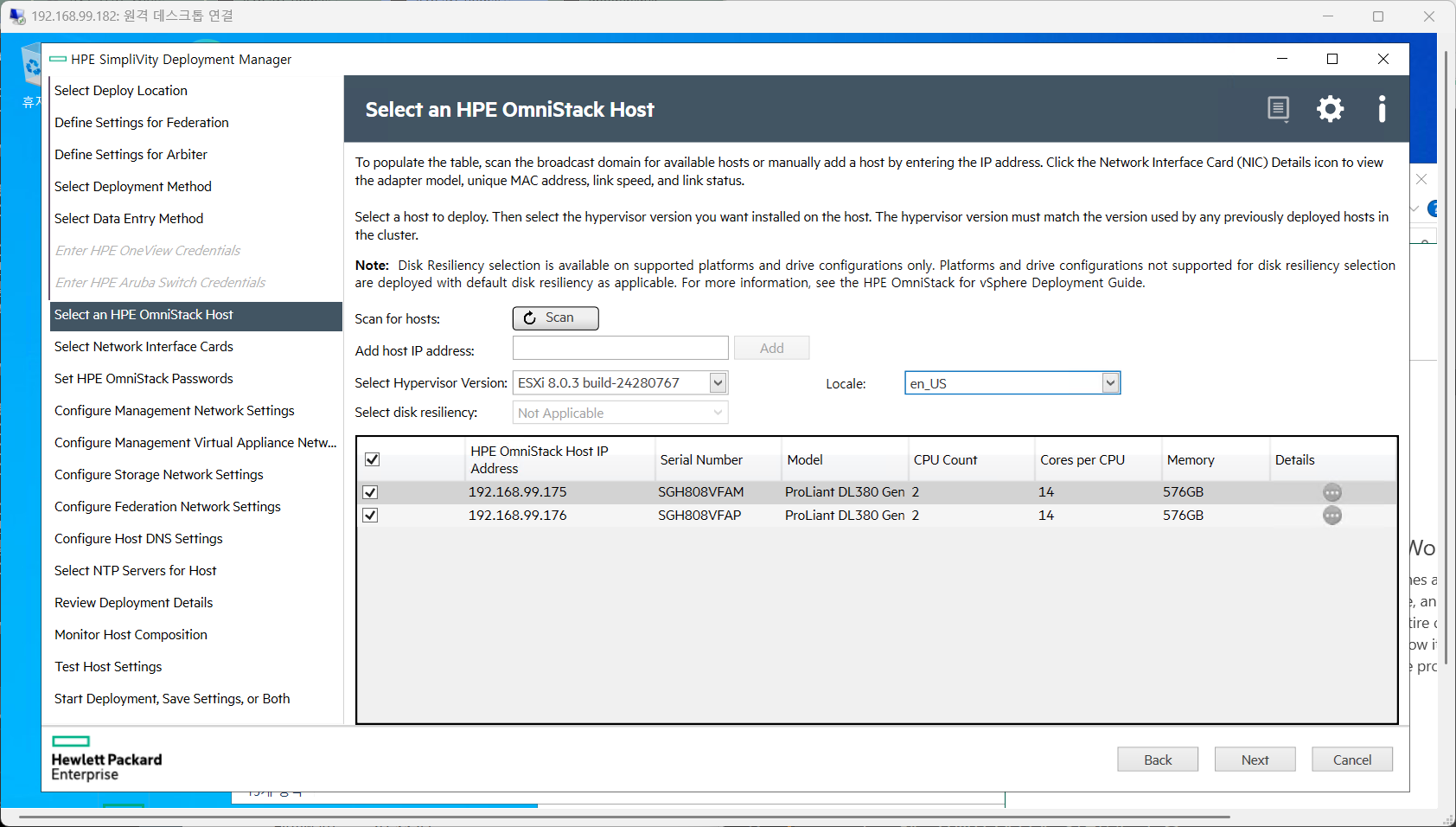
5. Select an HPE OmniStack Host
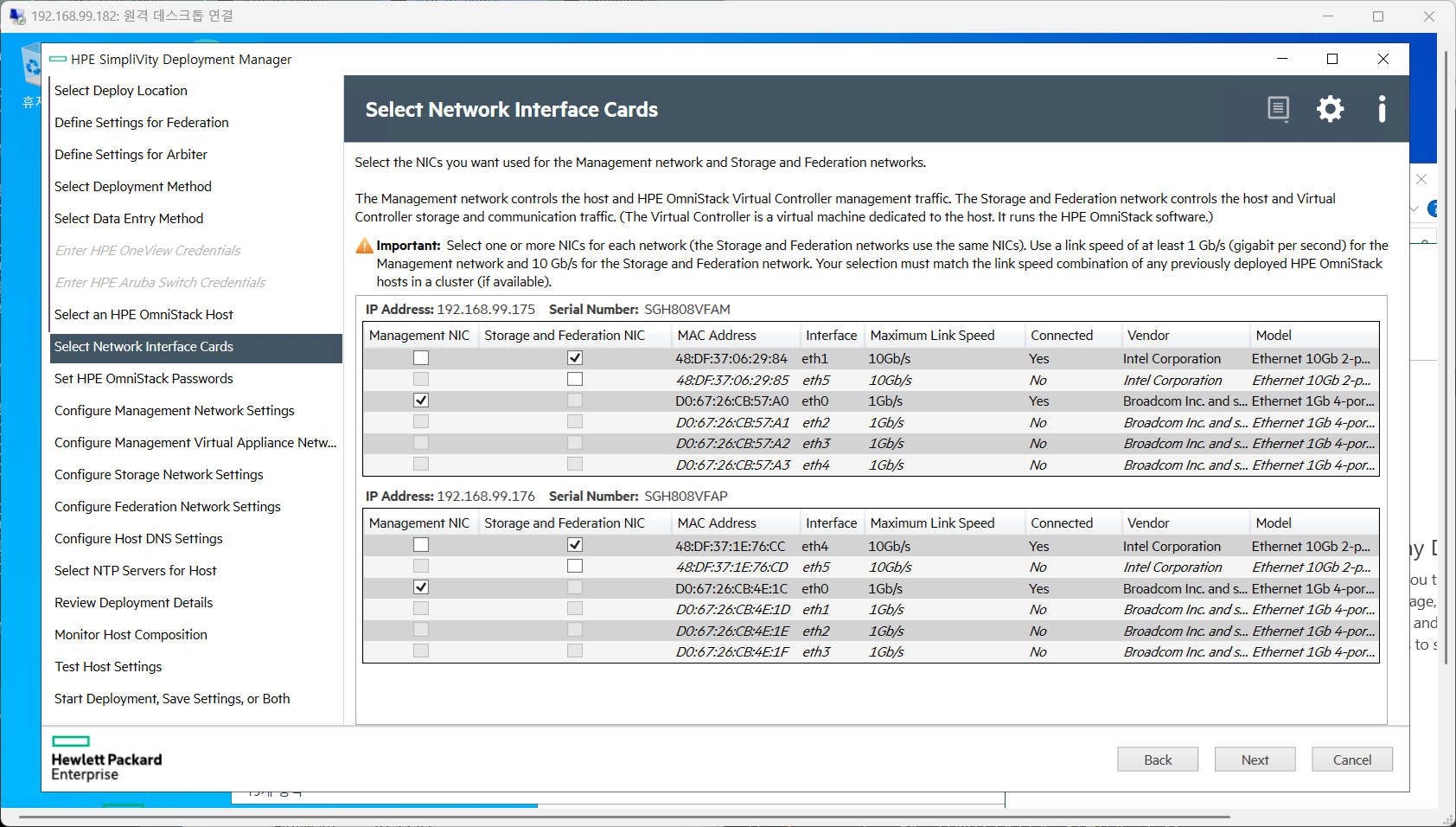
6. Select Network Interface Cards
7. Set HPE OmniStack Password

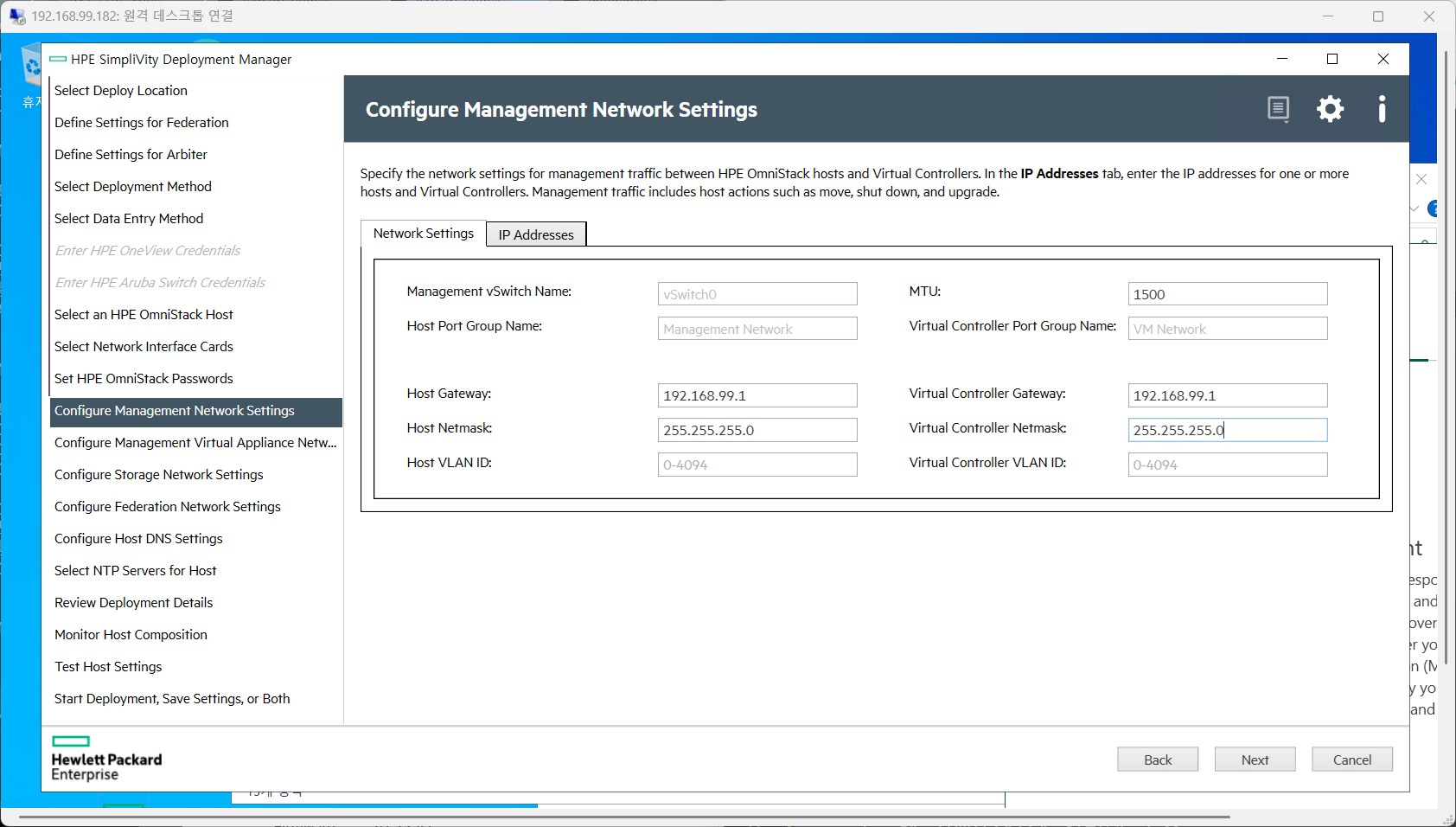
8. Configure Management Network Settings
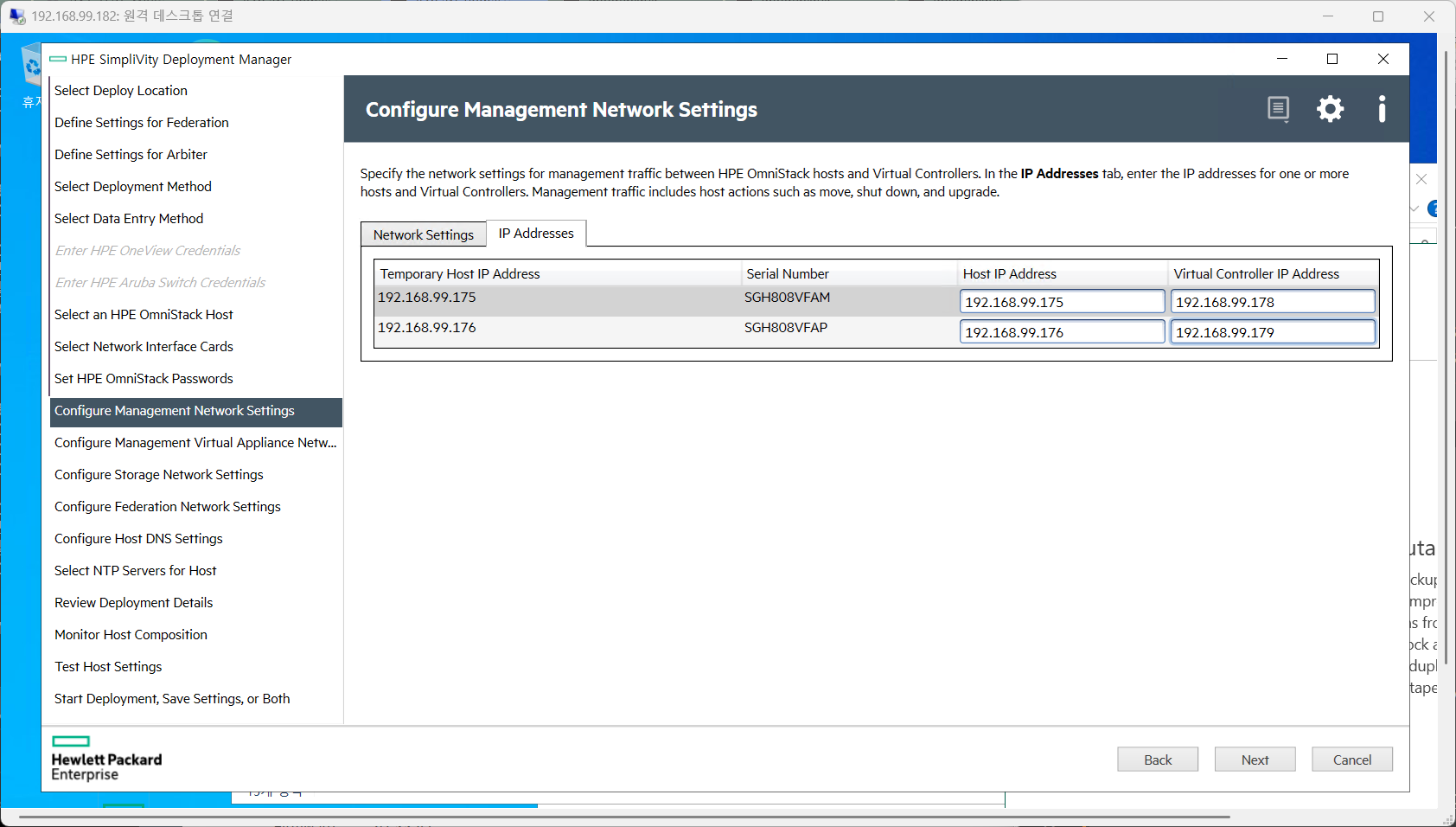
9. Configure Storage Network Settings
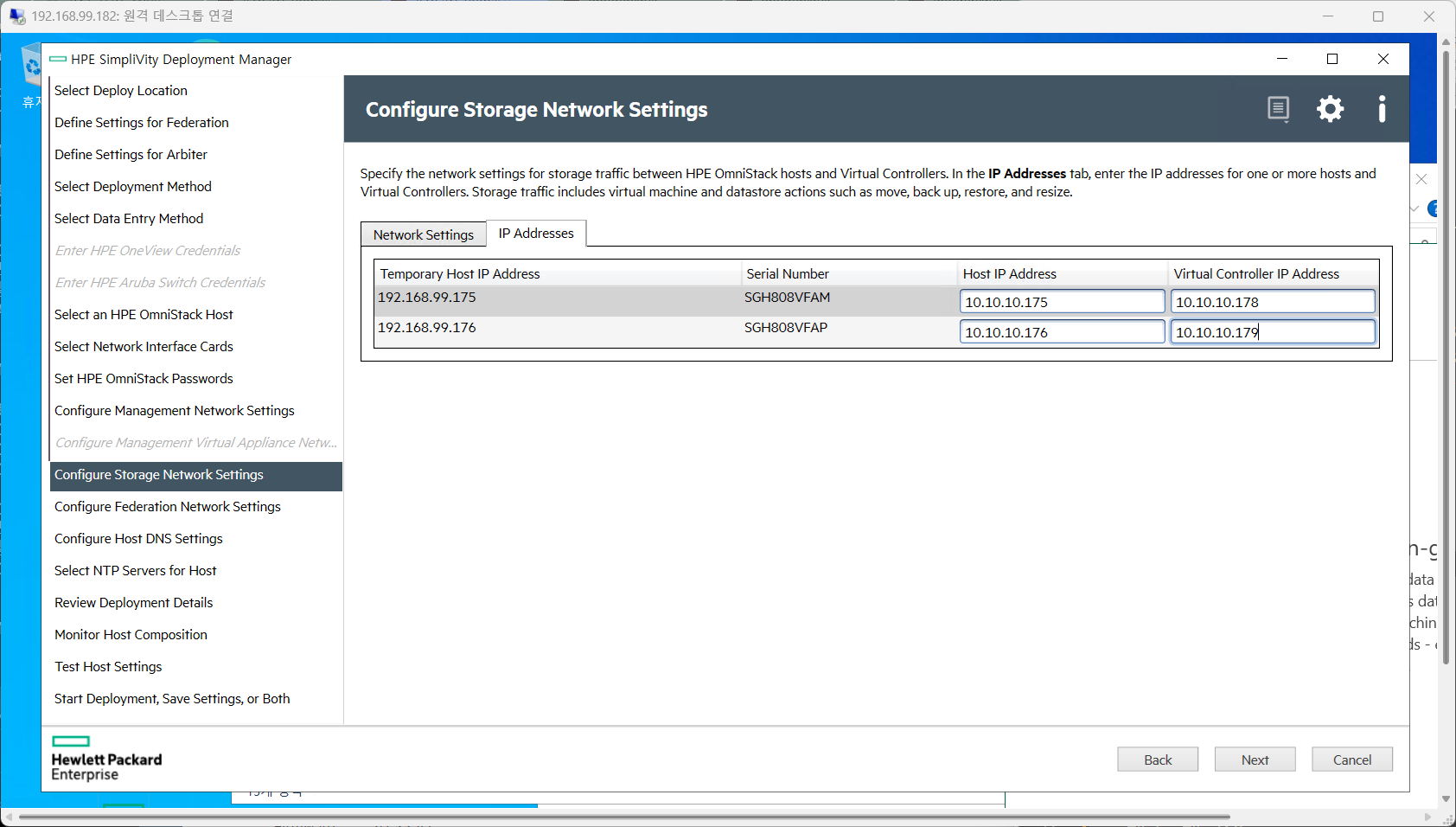
10. Configure Federation Network Settings

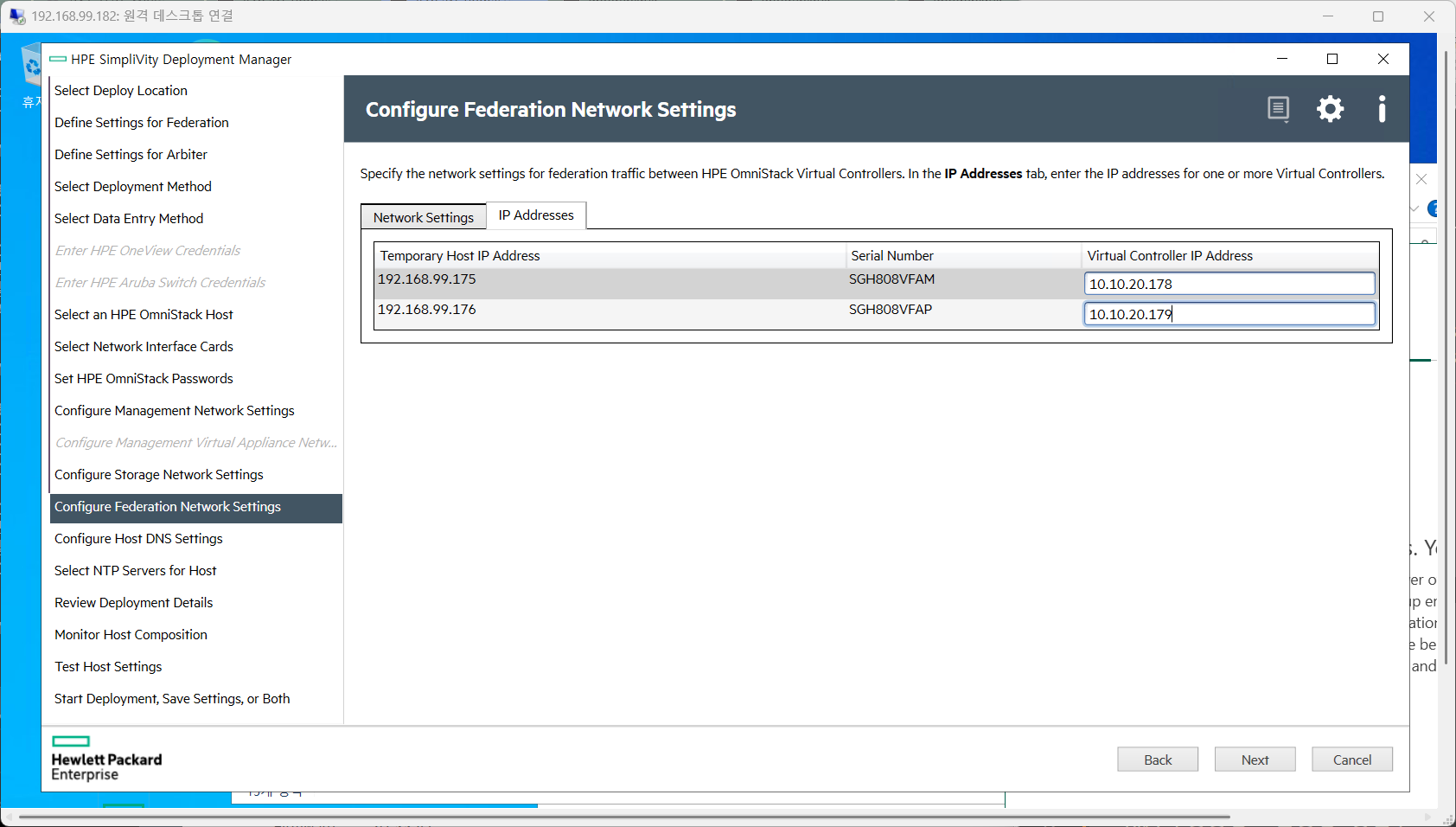
11. Configure Host DNS Settings
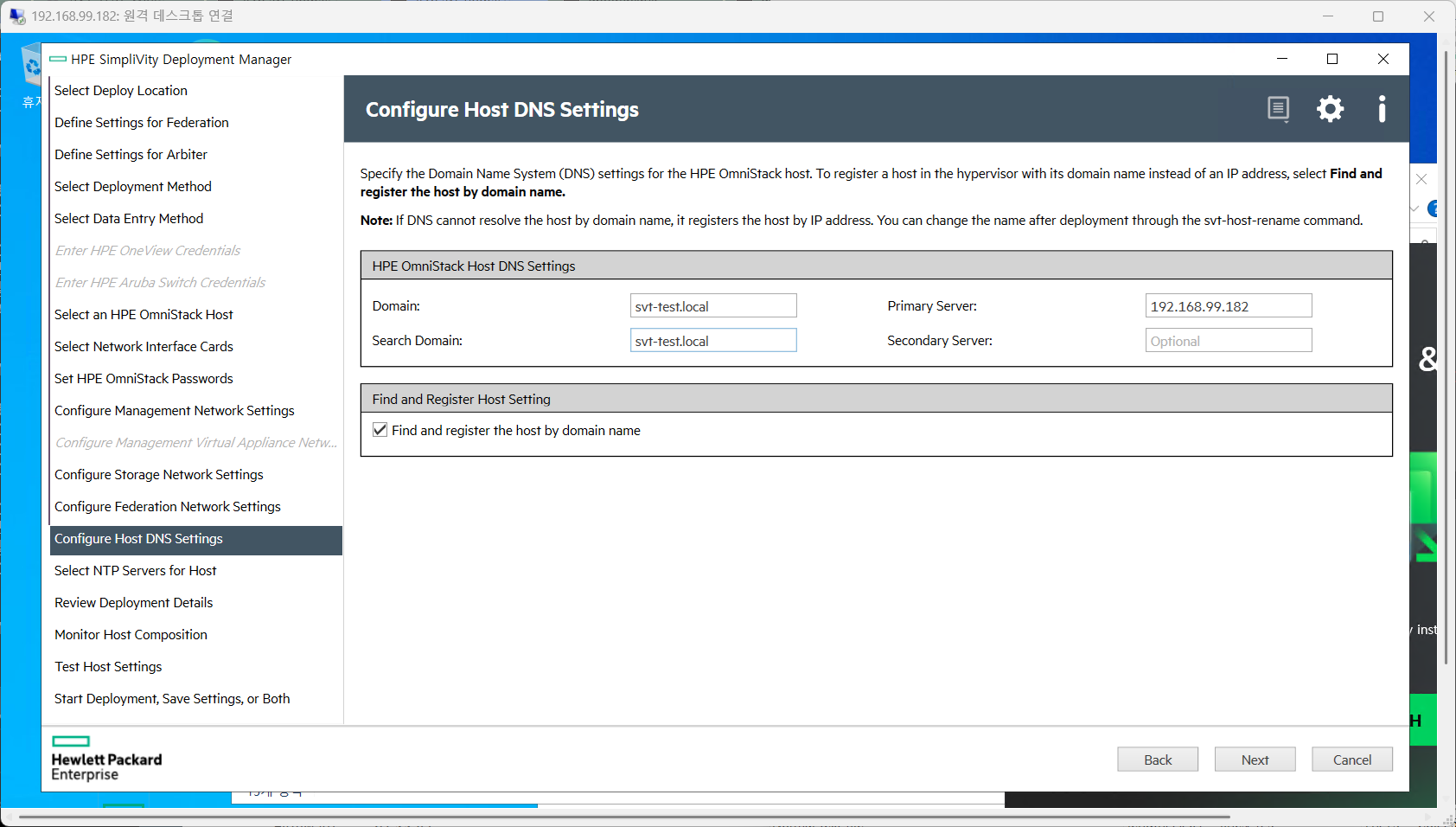
12. Select NTP Servers for Host
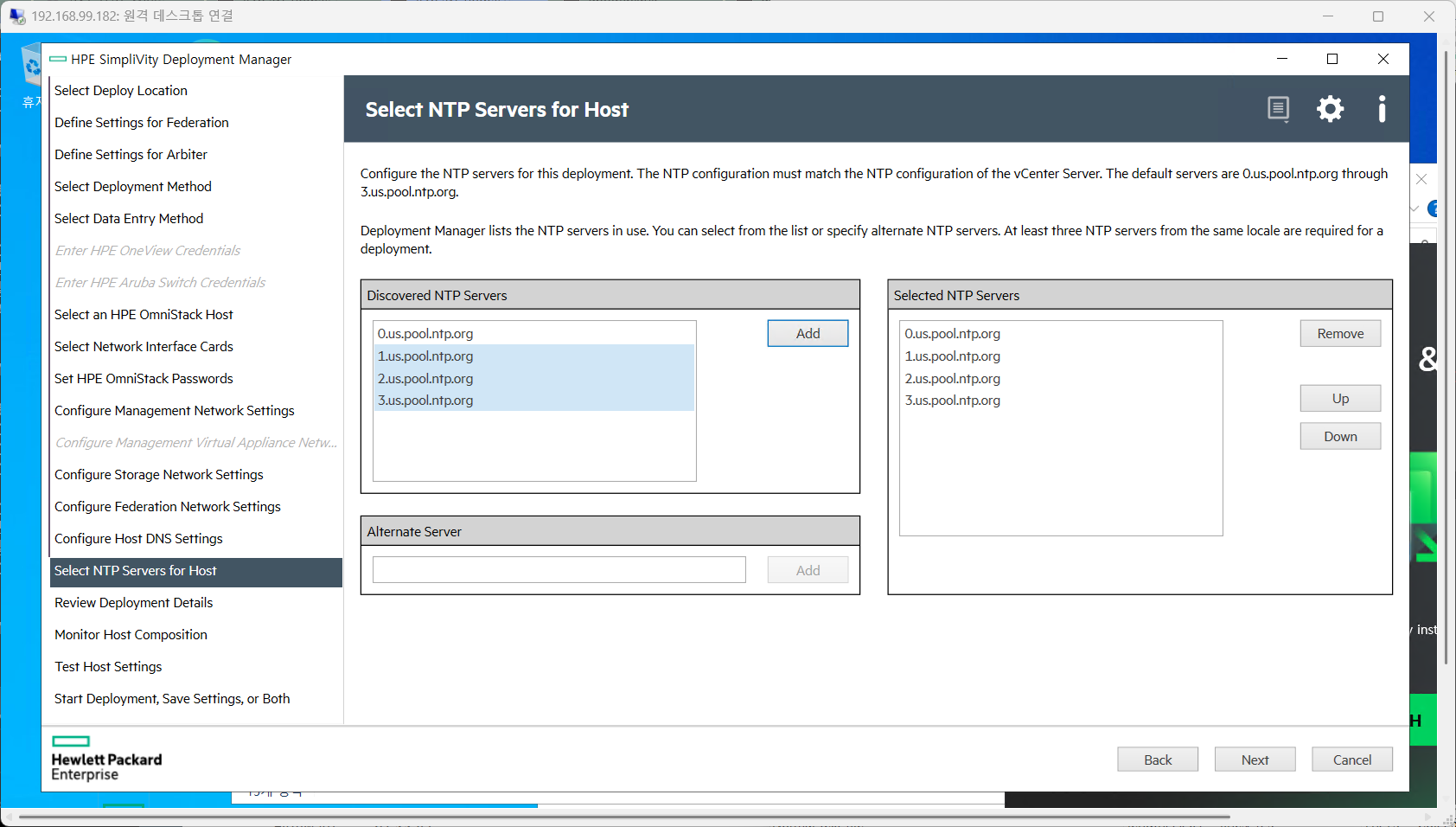
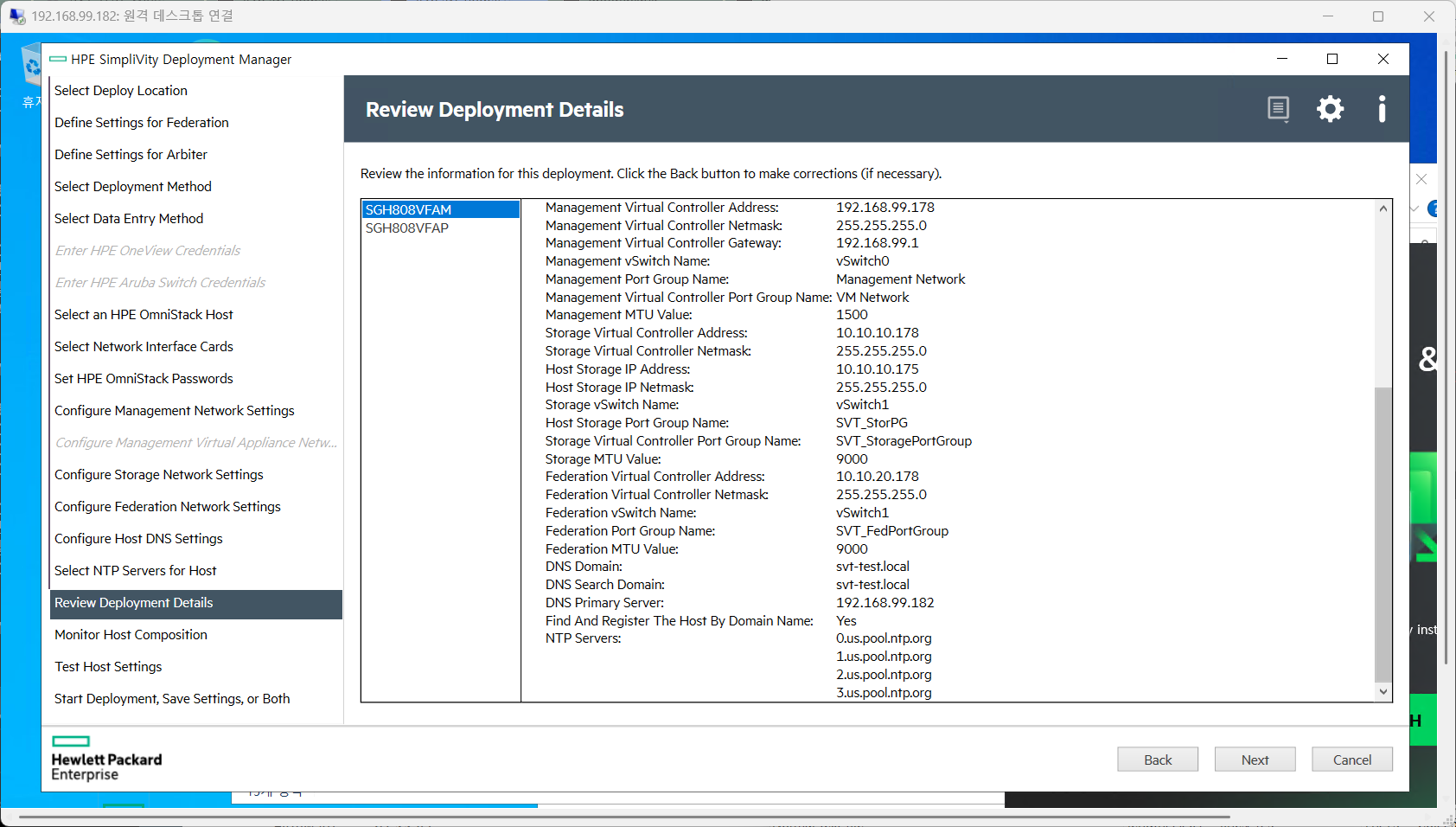
13. Review Deployment Details

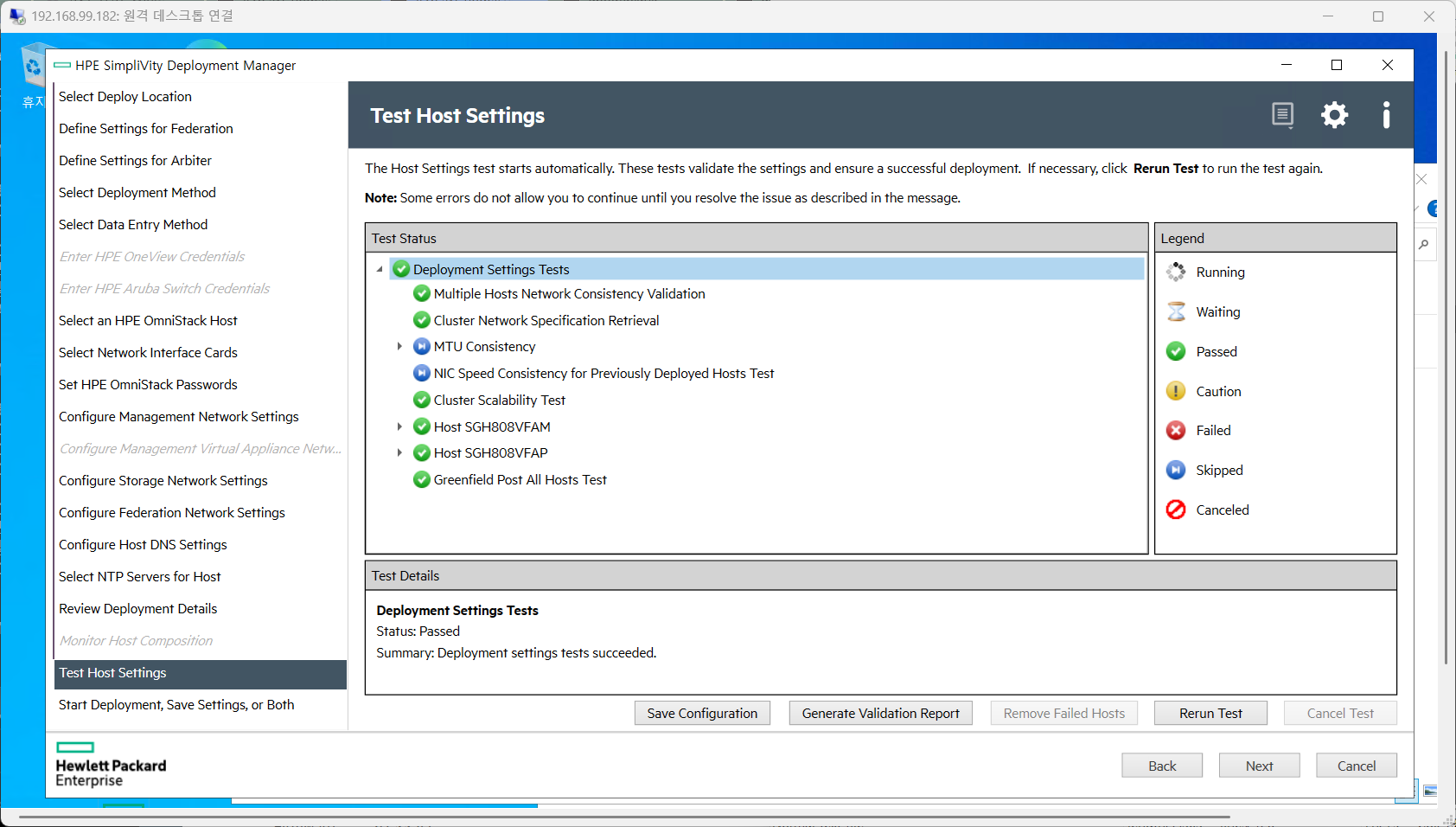
14. Test Host Settings
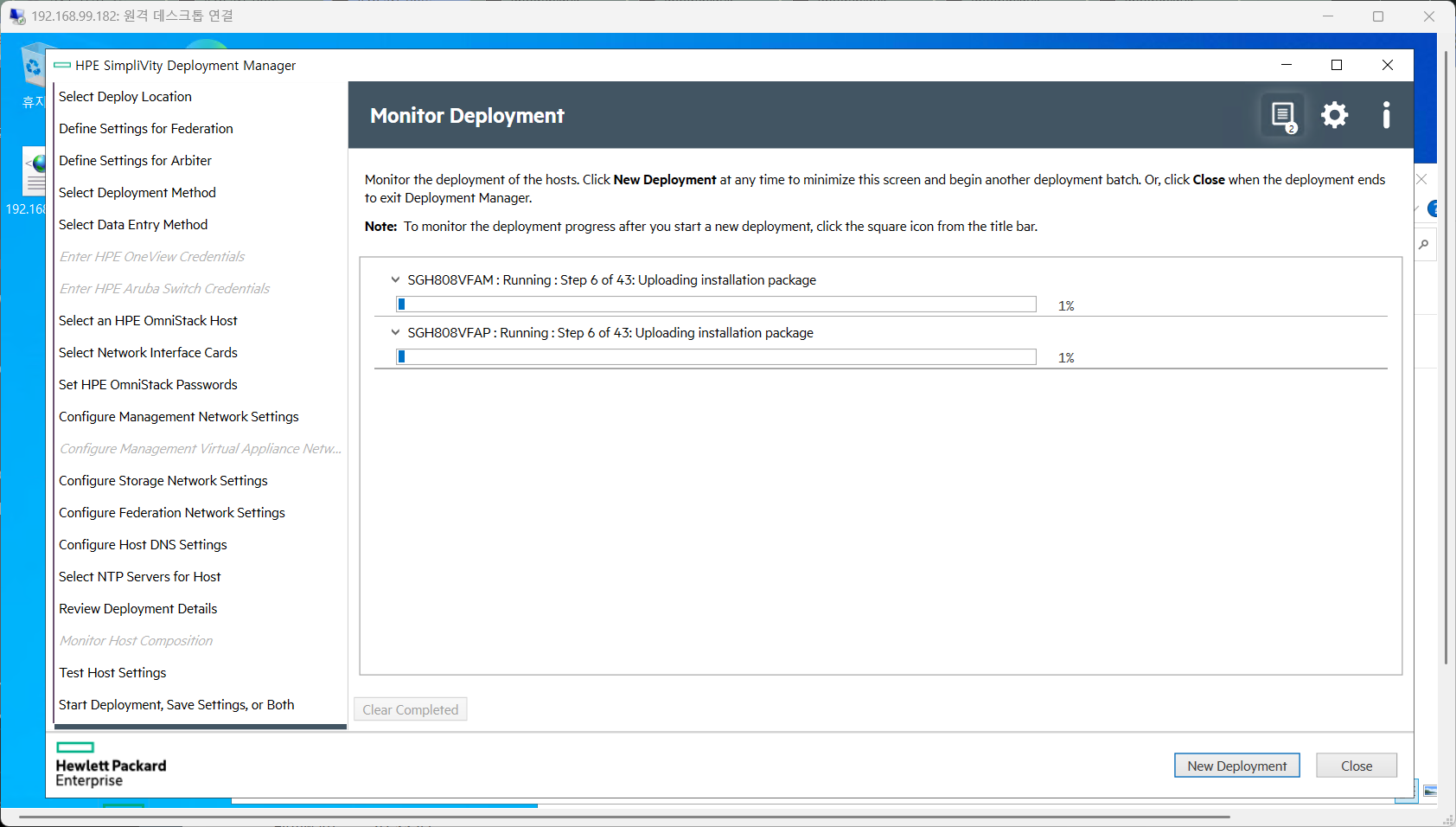
15. Monitor Deployment
기타설정
'SERVER > HPE' 카테고리의 다른 글
| HPE SUM 20.0.0 (Beta) 사용해 보기 (0) | 2026.09.12 |
|---|---|
| [HPE] 각종 로그 (0) | 2026.02.10 |
| [HPE] 3PAR 명령어 (0) | 2025.12.24 |
| 3PAR 노드 초기화 (0) | 2025.12.24 |
| 디스크 초기화/리빌딩 기록 (0) | 2025.11.03 |